


Best no-code app builders for coaches and course creators in 2026
Updated March 25, 2026
Mobile push notifications deliver click-through rates 2-10x higher than email, according to push notification benchmark data. For coaches who rely on weekly email blasts to keep clients on track, that gap is a direct hit to completion rates and renewals. Choosing the right app builder is not a software preference. It determines whether your clients actually finish your programs.
This guide compares the top five no-code app builders for coaches in 2026. We break down features, true costs, and ease of use so you can shortlist the right platform and launch your branded app in weeks, not months.
What to look for in a coaching app builder
Not every "app builder" delivers the same result. The category includes everything from drag-and-drop website tools with a mobile-friendly design to platforms that produce real, downloadable apps on the Apple App Store and Google Play. Three factors separate the strong from the weak.
Native mobile apps vs. web wrappers: A native app is a dedicated application built for iOS or Android that users download from the App Store or Google Play. It lives on their home screen, runs with full device access, and can send push notifications at any time. A web wrapper (sometimes called a PWA, or Progressive Web App) is essentially a website packaged to look like an app, and the distinction matters enormously for engagement. iOS 16.4 reportedly added limited PWA push support, but only if the user manually saves the site to their home screen, and it does not support rich media or silent push, according to PWA push notification analysis. Native apps support push on both iOS and Android with full automation, rich media, and background sync. According to PWA versus native app research, native code also delivers faster performance and deeper OS integration, including offline access for large media libraries. For coaches running video-based programs or daily challenges, a web wrapper is a significant step down.
Total cost of ownership and hidden fees: The monthly plan price is not your total cost. Before you sign up for any platform, calculate these four cost layers:
- Platform subscription - the base monthly or annual fee.
- Web checkout fees - transaction fees charged when members pay through the platform's checkout. Passion.io charges a 3.9% platform fee via PassionPayments plus Stripe's standard 2.9% + $0.30 per transaction, as detailed on the Passion.io pricing page.
- In-app purchase commissions - Apple and Google take 15-30% on purchases made inside native apps. Under Apple's Small Business Program, the rate drops to 15% for eligible developers earning under $1 million annually. Google's standard rate is approximately 20% for new installs according to recent reports. Passion.io adds 0% on top of IAP transactions.
- Developer program fees - an Apple Developer Program membership costs $99 per year, and a Google Play Console account requires a $25 one-time registration fee. These apply regardless of which platform you build on.
A detailed TCO breakdown appears in the "How to calculate your true app launch costs" section below.
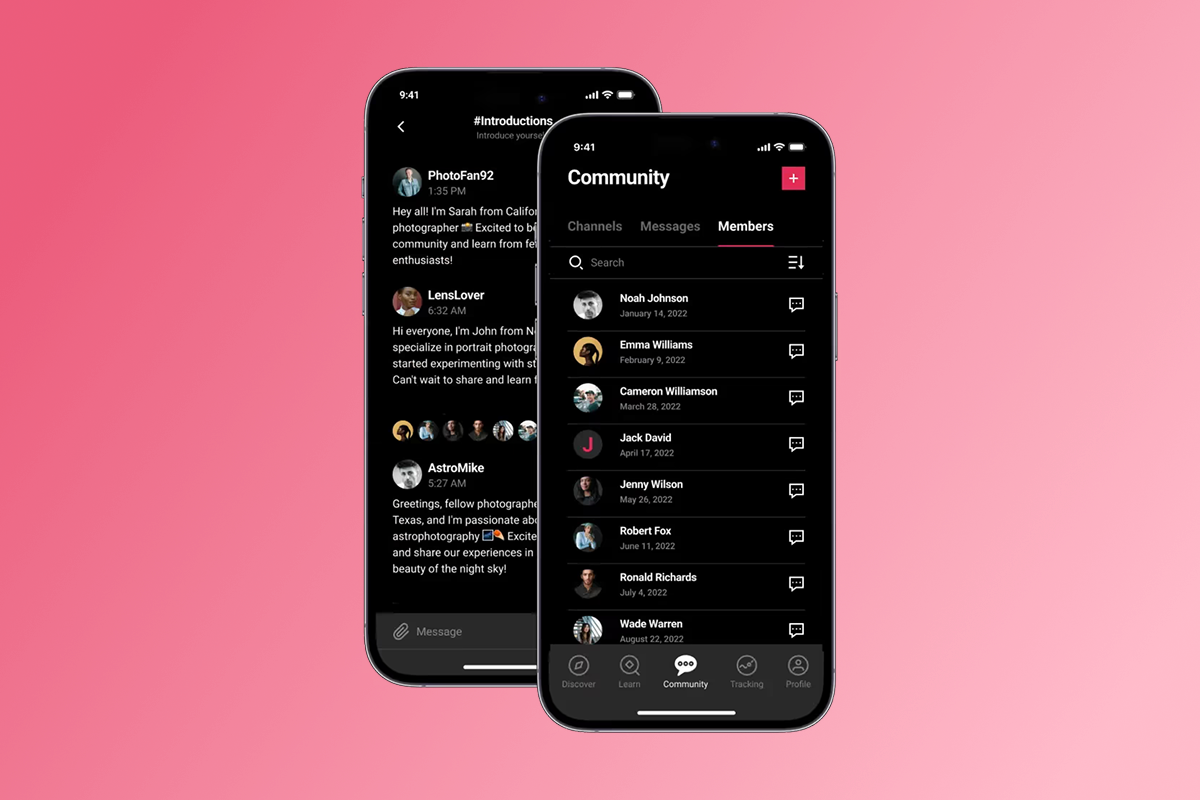
Community and push notification features: Push notifications drive 2-10x higher click-through rates than email, according to the push notification benchmark data cited above. For coaches relying on weekly email blasts, switching to push-driven reminders is a high-leverage change. Look for in-app community features (discussion feeds, direct messaging, group channels) that keep members engaged inside your branded environment. Challenges and goal tracking built into the app reinforce daily habits and protect the completion rates that drive renewals.
Top 5 no-code app builders for course creators
Before you compare features, understand this: Passion.io includes native mobile apps on all plans, and Uscreen includes mobile apps in its offerings. Kajabi and Thinkific each charge an extra $199/month for branded apps on top of their base subscription. Classplus pricing is custom. That cost difference changes the entire TCO equation.
1. Passion.io
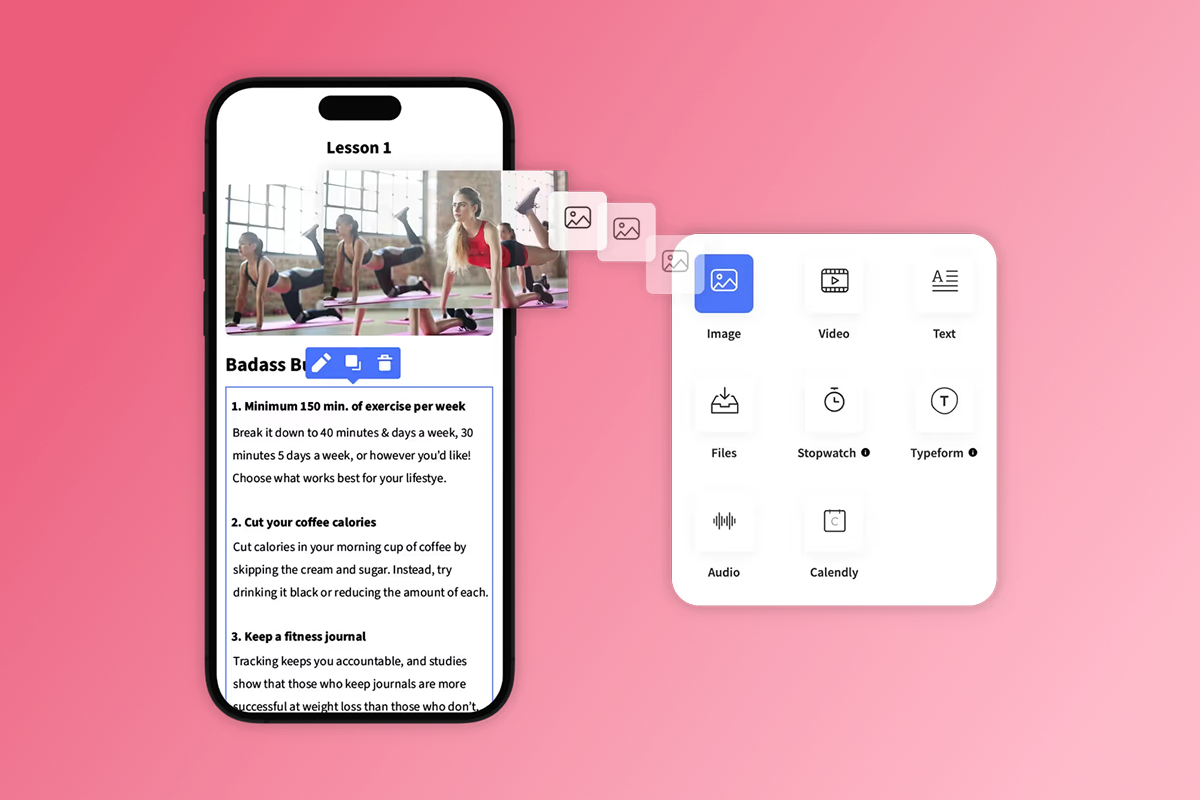
Passion.io is a no-code platform that lets coaches and course creators build a real branded app on iOS, Android, and web without writing a single line of code. You drag in videos, audio files, PDFs, and text, arrange them into lessons and modules, set pricing, and the platform handles hosting, updates, and (on higher plans) app store submission support. The full feature set includes push notifications, in-app community channels, challenges, polls, drip scheduling, offline downloads, and native integrations with Calendly, Typeform, and YouTube/Vimeo.
What separates Passion.io from most competitors is that native mobile apps are included on every paid plan, not sold as an add-on.The monetization options cover subscriptions (weekly, monthly, annual), one-time purchases, freemium access, and bundles. Web checkout via PassionPayments carries a 3.9% platform fee, while IAP routes to Apple/Google with Passion.io adding 0% on top.
A third-party 2025 review at BloggingLift reports over 15,000 apps launchedand more than 2 million paying app users across the platform. According to the CEO in a September 2025 video, Passion.io is a profitable 8-figure business, which reflects the scale of the creator base using it.
"Setting up my coaching app on Passion.io has been one of the easiest and most intuitive processes I've experienced... Everything is housed in one place, content, communication, client access, design, and it's all optimized to save time while delivering a high-quality user experience." - Everchanging Butterfly on Trustpilot
"The customer support staff are very helpful and respond very fast, they helped me navigate the Apple/Google sites to get the app live which no hesitation." - Natalie Gidas on Trustpilot
"I love Passion.io, how they turn confusion into clarity and the friendly, helpful and professional high quality education and coaching in developing an in app business." - Asa Lindstedt on Trustpilot
The pricing tiers on Passion.io as of 2026 are:
App Store submission support is reserved for the Expand and Plus plans. If you're on Launch or Scale, you manage app store submissions yourself, with guidance available from the Passion.io support team. Many creators navigate it successfully with that support. The Passion.io Zapier integration also connects your app to hundreds of external tools for automating workflows outside the platform's native feature set.
Best for: Coaches and course creators who want a true branded mobile app with push notifications, in-app community, and recurring subscriptions, and who want launch training built into the product.
Watch:Welcome To Your Passion App gives a clear walkthrough of the platform's core setup flow.
2. Kajabi
Kajabi is an established web-first all-in-one for course creators covering landing pages, email marketing, funnels, and course hosting in a single platform. Base plans start at $143/month on annual billing (Basic), $199/month (Growth), and $399/month (Pro).
Kajabi's branded native app costs an additional $199/month on top of your base plan. The real starting cost for a branded iOS and Android app on Kajabi is $342/month on annual billing (Basic plus app add-on), and push notification support also requires the app add-on. Kajabi excels at email marketing depth and funnel building. For coaches who need true in-app engagement with daily push cadences and community channels, the add-on cost changes the TCO calculation significantly.
Best for: Coaches with established email lists who want strong funnel and email marketing tools and are willing to pay extra for a branded mobile experience.
3. Thinkific
Thinkific starts at $49/month on its Basic plan, which makes it the lowest entry price in this comparison.However, the $49 plan excludes memberships, certificates, and advanced analytics.You need the $99/month Start plan for memberships and certificates, and full analytics require the Grow plan at $199/month or above.
Like Kajabi, Thinkific's standard plans offer a shared, Thinkific-branded mobile experience rather than your own branded app. A fully white-labeled branded mobile app on Thinkific costs an additional $199/month on top of your base plan. Without that add-on, your students access content through the Thinkific app, not a branded app with your name on it. Thinkific is a reasonable choice if you need structured course delivery on a tight budget, but once you need a branded app with push and community, the true cost increases substantially.
Best for: Early-stage course creators focused on structured curriculum delivery who don't yet need a branded mobile app.
4. Uscreen
Uscreen specializes in video-on-demand delivery with strong over-the-top (OTT) capabilities, supporting apps on Roku, Apple TV, and mobile devices. Published pricing starts at $49/month for the Starter plan, with higher tiers and custom enterprise pricing requiring a sales conversation. Transaction fees are not publicly listed, making full TCO comparison difficult without contacting their team.
Uscreen's strength is video-first delivery infrastructure. If your content is almost entirely video with no structured lessons, quizzes, or community engagement, it's worth evaluating. If you need courses, community, challenges, and push together, the two platforms serve different primary use cases.
Best for: Video creators building a subscription channel or live streaming service with an OTT presence on TV apps.
5. Classplus
Classplus targets coaches and educators primarily in South and Southeast Asian markets, with tools for batch management, live classes, and regional payment methods. Pricing is custom and requires direct contact.Native iOS and Android apps are included.Classplus works well for educators with large in-person student bases moving online in its core geographic markets. English-speaking coaches building a global subscription-based audience may find the other platforms in this list better aligned with their needs.
Best for: Educators operating in South Asian markets with large student cohorts and a need for regional payment support.
How to calculate your true app launch costs
Before you commit to a platform, run this cost model. It prevents surprises on your first invoice.
- Pick your plan and billing cycle. Annual billing saves 15-20% on most platforms. On Passion.io, the Launch plan at $99/month (annual) versus $119/month (monthly) saves $240 per year.
- Decide your checkout path. Run the math on a $49/month membership. Web checkout through PassionPayments costs 3.9% (platform fee) plus Stripe's 2.9% + $0.30, leaving you approximately $45.43 per sale. Apple IAP at 15% under the Small Business Program leaves you $41.65 per sale.The $3.78 difference per member per month compounds fast. Route bundles and high-ticket offers to web checkout and reserve IAP for low-friction mobile upsells.
- Add developer program fees. Add $99/year for your Apple Developer account and $25 one-time for your Google Play Console account. These fees apply regardless of which platform you build on, as long as you want your own branded listing in both stores.
- Add the branded app premium if applicable. On Kajabi or Thinkific, add $199/month for the branded mobile app add-on. That amounts to $2,388 per year, an additional cost you carry before you earn your first dollar from mobile. On Passion.io, the branded native app is included from the Launch plan at $99/month.
The bottom line: A coach on Passion.io's Launch plan (annual) running 100 members at $49/month on web checkout nets approximately $4,543/month in revenue after fees, versus approximately $4,165 if all purchases go through Apple IAP. Run your own numbers before you set your pricing and checkout strategy.
90-day launch plan for your branded app
This plan works best if you have core content ready (10+ lessons, one lead offer, and basic branding). Adjust timelines based on your content volume.
- Days 1-10: Build and configure.
Upload your core lessons to the drag-and-drop builder. Set your pricing with at minimum one monthly subscription tier and one annual tier. Style your app with your logo, brand colors, and fonts. Open your Apple Developer account ($99/year) and Google Play Console account ($25 one-time) as early as possible, since account approvals can take several business days and holding off delays your submission timeline. - Days 11-20: Set up monetization and community.
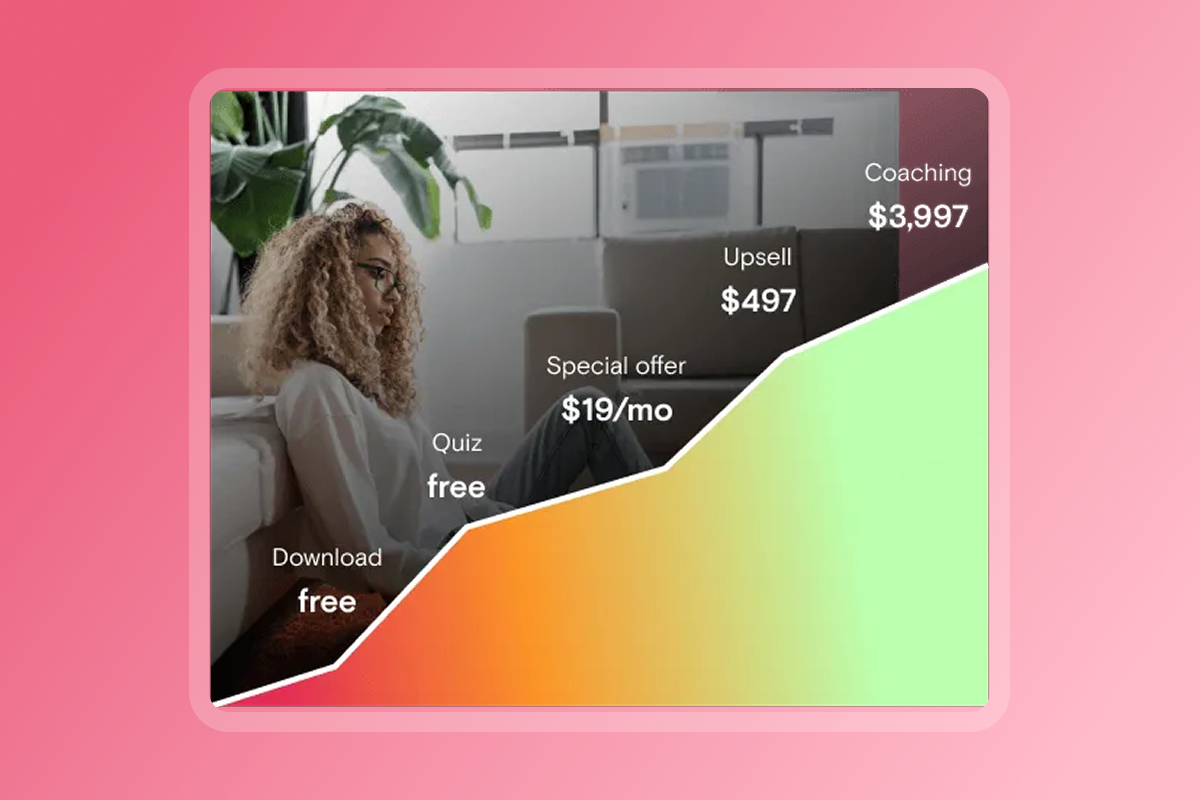
Configure PassionPayments for web checkout and decide which offers route to web versus IAP based on your margin targets. Build your first community channel and post a welcome message. Consider writing your first five push notifications: a welcome push, a Day 3 check-in, a Day 7 challenge prompt, a Day 14 halfway nudge, and a Day 30 completion message. Access the Passion.io training programs to map your launch offer and pricing ladder. - Days 21-30: Go live on web and begin app store submissions.
Publish your web app so members can purchase and access content immediately. Submit your iOS and Android apps for review. According to Apple's app review guidelines, 90% of submissions are reviewed within 24 hours, though first-time submissions or those requiring metadata clarification can take longer. If you're on the Expand or Plus plan, the Passion.io team assists with submission. Announce your launch to your existing audience with a clear web checkout link. - Days 31-90: Run your first challenge, measure, and optimize.
Launch a 30-day in-app challenge tied to your core program. Send push notifications twice weekly with specific references to the lesson, checkpoint, or challenge milestone. Monitor lesson completion rates weekly and look for a steady increase as push habits form. Watch the automations walkthrough to set up automated engagement sequences. By Day 90, measure completion rates versus your pre-launch baseline and target a +15-30% improvement, which aligns with outcomes Passion.io case studies document for creators who add push and challenges. Review your monthly churn. If it exceeds 6%, consider adding a community check-in and increasing push frequency before adjusting price. Introduce a second pricing tier (a premium membership or one-time bundle) and route it through web checkout for better margin.
Checklist for choosing the right platform
Use this list before you start any trial or purchase decision. Each question surfaces a cost, feature gap, or timeline risk that affects your first 90 days.
Mobile app type
- Does the platform deliver a real iOS and Android app with your branding, or a shared-brand mobile web experience?
- Is push notification support native and automated, or limited to manual sends?
- Can members download content for offline access?
Community and engagement
- Does the platform include in-app community channels, or does it redirect members to a Facebook group?
- Are challenges, polls, and goal tracking available inside the app?
- Can you issue certificates on completion? (See how Passion.io handles certificates for a practical example.)
Monetization and fees
- What is the platform transaction fee on web checkouts?
- Does the platform add fees on top of Apple/Google IAP commissions?
- Can you offer subscriptions, one-time purchases, and freemium access without upgrading to a higher plan?
True total cost
- What does a branded native app actually cost per month on this platform (base plan plus any add-ons)?
- Have you added Apple's $99/year and Google's $25 one-time developer fees to your budget?
- Have you run your margin calculation for web checkout versus IAP at your target price point?
Speed to launch and support
- Does the platform include training or playbooks for pricing, launch, and sales strategy?
- What is the typical timeline from sign-up to web app live and from web live to app store listings?
- Is app store submission support included in the plan you're considering, or is it a higher-tier feature?
For coaches ready to move from tool sprawl to a single branded app, Passion.io offers the most direct path. You get native iOS and Android apps from the Launch plan at $99/month (annual), push notifications, in-app community, and training on how to structure and sell your offer. Try it to confirm the fit before you commit.
Watch: Mastering Sales Funnels shows how to connect your app to your sales process so new members find and purchase without friction.
Frequently asked questions
What is the cheapest way to get a branded native app for my coaching business?
Passion.io's Launch plan at $99/month (annual billing) includes a real branded iOS, Android, and web app with push notifications and community features. Add $99/year for Apple Developer and $25 one-time for Google Play, totaling approximately $1,312 in first-year fixed costs before transaction fees.
Do I need to know how to code to launch an app on Passion.io? No. The platform uses a drag-and-drop builder where you upload your content, set your pricing, and style with your logo and colors. The Passion.io mobile app also lets you monitor your community and push activity from your phone.
How long does it take to get my app live in the Apple App Store?
Your web app goes live within days of completing setup. Apple reviews 90% of app submissions within 24 hours, according to Apple's app review process, though first-time submissions that require metadata or screenshot clarification can take longer. The Expand and Plus plans include app store submission support from the Passion.io team.
What is the difference between PassionPayments and in-app purchases?
PassionPayments is Passion.io's web checkout powered by Stripe, charging a 3.9% platform fee plus Stripe's processing costs on each sale. In-app purchases (IAP) are payments made directly inside the iOS or Android app where Apple or Google handles the transaction and retains 15-30%, with Passion.io adding 0% on IAP.
Can I use Passion.io if I already have content on another platform?
Yes. Creators who bring existing video lessons, PDFs, and course materials typically upload them directly into the builder. The Zapier integration connects Passion.io to hundreds of tools, which helps automate workflows during and after migration.
Does Passion.io offer a free trial?
There is no free trial.
Which Passion.io plan includes app store submission support?
App store submission support is included on the Expand plan ($599/month on annual billing) and the Plus plan (custom pricing). Creators on Launch and Scale manage their own app store submissions with guidance from the Passion.io support team.
Key terminology
Native app - A dedicated application built specifically for iOS or Android that users download from the App Store or Google Play. It supports push notifications, offline access, and full device integration.
Web wrapper (PWA) - A Progressive Web App that packages a website to function like an app. Push notification support on iOS is limited and requires the user to manually install the site to their home screen.
In-app purchase (IAP) - A payment made inside a native iOS or Android app. Apple and Google handle the transaction and retain 15-30% of the sale price. Passion.io adds 0% on IAP.
PassionPayments - Passion.io's web checkout system powered by Stripe. It charges a 3.9% platform fee plus Stripe's standard processing rate on each sale.
Push notification - A message sent directly to a user's phone from an installed app, even when the app is closed. Push notifications do not require the user to open a browser or check email.
Drip scheduling - Releasing course content to members on a timed schedule rather than all at once. It keeps learners progressing at a structured pace and reduces overwhelm.
MRR - Monthly Recurring Revenue. The predictable revenue you earn each month from active subscriptions, excluding one-time purchases.
Churn - The percentage of paying members who cancel their subscription in a given month. A monthly churn rate above 6% signals a retention problem that better engagement through push, community, and challenges can often address.
Total Cost of Ownership (TCO) - The full cost of running your app, including the platform subscription, web checkout transaction fees, Apple/Google developer program fees, and in-app purchase commissions.

Build the business
behind what you know.
Turn your expertise into a branded app with courses, community, and the You AI Coach. Launch plan from $99/month.