


App Store Keyword Optimization: Best Practices for 2026
 By Julieta Gil
Over 70% of app store visitors use search to find new apps, making keyword optimization your highest-leverage acquisition channel. ASO tools are software that help improve app visibility in app stores through keyword research, competitor analysis, and performance tracking. Leading paid and free options exist, with a focus on identifying the best fit for specific needs. Optimize four metadata fields: title (30 chars), subtitle (30 chars), keyword field (100 chars, iOS only), and description (4,000 chars on Google Play, which is fully indexed). Free tools like ASOTools.io (now free under Appark.ai) cover most early-stage needs, while paid tools like AppTweak (from ~$79/month) add competitor intelligence and A/B testing. Passion.io's metadata templates provide a proven structure to help you start with optimized fields rather than a blank form.
Social media reach is declining for creators across every niche, and algorithms shift without warning. App store search, by contrast, remains one of the most stable and high-intent acquisition channels available to coaches, educators, and fitness creators. If you have a branded app and you are not optimizing for search, you are building on rented land while an owned channel sits idle.
App Store Optimization (ASO) is how you turn your app listing into a predictable source of organic downloads. This guide covers the best free and paid ASO tools, the exact keyword research process, and a step-by-step metadata checklist you can action this week.
What are ASO tools and why do they matter?
ASO (App Store Optimization) is the process of improving your app's visibility in the App Store and Google Play so that more people find and download it when they search. ASO tools are the software platforms that make this practical, providing keyword volume data, competitor analysis, and ranking trackers so you are not guessing.
Over 70% of App Store visitors use search to discover new apps, and almost 65% of all downloads happen directly after a search. For a creator running fitness challenges, mindset coaching, or skills training, the majority of potential new members are already searching for what you offer. They just need to find you first.
ASO tools fit directly into a no-code app builder workflow by letting you research keywords in the tool and then paste them into your app builder's metadata fields before submission. Our ASO visibility guide covers how to apply this inside Passion.io, and our free ASO tools guide gives you a quick-start list to begin today.
How ASO drives predictable recurring revenue
Organic downloads are not just a vanity metric. High-intent users who search "30-day fitness challenge app" or "mindfulness coach app" are actively looking for what you sell, so they convert to paid subscribers at a higher rate than cold social traffic because the search itself signals intent.
The direct path to MRR from ASO works like this: better keyword coverage increases impressions, more impressions drive downloads, and more downloads give you a larger pool to convert to subscriptions. Churn also tends to be lower from organic app store installs compared to social ad traffic, because users chose to search and download rather than being interrupted.
How to find high-volume, low-competition ASO keywords
Search Volume is how many times people search for a specific keyword in the app store each month. Keyword Difficulty is how hard it is to rank for that keyword because many well-established apps are competing for the same term. Your goal is to find keywords with meaningful volume and moderate difficulty, so you can rank without going head-to-head with apps that have hundreds of thousands of reviews.
Follow these steps to build your keyword list:
- Seed your list. Write down phrases your ideal member would type to find your app, such as "yoga app for beginners," "business coach community," or "daily meditation app."
- Expand with ASO tools. Enter your seed keywords into a tool like ASOTools.io or AppTweak. Each tool surfaces related terms, volume estimates, and difficulty scores.
- Filter by opportunity. Look for keywords with lower difficulty scores and meaningful volume. Niche modifiers like "for women," "for coaches," or "30-day" often reduce difficulty while preserving intent.
- Study two or three competitor apps. Look at their title, subtitle, and what appears in their reviews, since users often describe value in natural language that doubles as keyword insight.
- Group into tiers. Put your two or three highest-value terms in your title and subtitle. Fill the iOS keyword field with secondary terms. Use long-tail variations in your description.
Before you submit, read our complete app launch checklist and our guide on app launch mistakes to avoid to sidestep common pre-launch errors.
Best ASO tools for keyword research and tracking
The right tool depends on your stage and budget, and the table below compares the tools covered in this guide:
| Tool | Best for | Key feature | Starting price |
|---|---|---|---|
| ASOTools.io (Appark.ai) | Free keyword research | Google Play on-page analysis via Chrome extension | Free |
| Asolytics | Teams needing both stores | Keyword tracking and competitor monitoring | $59/month (7-day trial) |
| AppStance | Apple Search Ads users | Keyword suggestions tied to Search Ads data | Paid (30-day trial) |
| FoxData | Market intelligence | Download estimates and competitor benchmarking | Free tier available |
| AppFollow | Review management + ASO | Workflow automation and review tracking | Free tier available |
| Appfigures | Indie creators | Combined analytics, revenue, and keyword tracking | $7.99/month |
| Astro | Solo creators and consultants | Keyword data pulled directly from Apple Search Ads | $9/month |
| AppRadar | Teams wanting AI-assisted ASO | Tracks 45M+ keywords with real-time ranking alerts | €58/month |
| MobileAction | Agencies and publishers | Search Ads intelligence and competitive analysis | $59/month (basic) |
| AppTweak | Mid-to-large creator teams | Keyword research engine plus creative A/B testing | ~$79/month |
Top free ASO tools for market research
ASOTools.io (now Appark.ai): ASOTools.io has been acquired by Appark.ai, and all features are currently free. The Chrome extension gives you on-page ASO analysis for Google Play directly in your browser, making it the fastest free starting point for competitive research.
- Pro: Zero cost, instant Google Play data, no account required for basic use.
- Con: Google Play focused, with limited depth on iOS compared to paid options.
Asolytics: Asolytics provides keyword tracking and competitor monitoring across both app stores and is straightforward to set up without a technical background. It offers a 7-day free trial, with pricing starting at $59/month after the trial period.
- Pro: Simple interface, covers both stores.
- Con: No ongoing free tier, so budget accordingly before committing.
AppStance: AppStance focuses on Apple Search Ads keyword data, making it useful if you plan to run even light paid campaigns on the App Store. It offers a 30-day free trial, with paid plans required after the trial for full ASO and keyword intelligence features.
- Pro: Direct connection to Apple Search Ads intent data.
- Con: Limited to iOS, and core features require a paid plan beyond the trial.
FoxData: FoxData positions itself as a market research tool with ASO capabilities, offering download estimates, competitor revenue benchmarks, and category trend data alongside keyword tracking.
- Pro: Strong market intelligence layer for understanding category size.
- Con: Keyword depth is lighter than dedicated ASO platforms.
AppFollow: AppFollow combines review management with ASO tracking and workflow automation, making it a practical two-for-one if you want to monitor competitor reviews for keyword inspiration while managing your own app's ratings.
- Pro: Review management plus ASO in one place, with integration options.
- Con: Free tier restricts the number of apps and features available.
Leading paid ASO tools for advanced analytics
Appfigures: At $9.99/month, Appfigures is an affordable paid option, blending revenue analytics, download data, review tracking, and keyword ranking into one dashboard for creators who want a single view of their app's performance.
- Pro: Competitive pricing, combines analytics and ASO in one place.
- Con: Less powerful on keyword discovery than premium tools.

Astro: Astro pulls keyword popularity data directly from Apple Search Ads and calculates how difficult it is to reach the top 10 for each term. It starts at $9/month on an annual subscription that supports unlimited keyword tracking, and 90% of Astro users experience an increase in app impressions within the first week after updating their metadata.
- Pro: Apple Search Ads data source adds accuracy, and fixed pricing benefits indie creators.
- Con: Stronger on iOS than on Google Play.
AppRadar: AppRadar is a mid-tier option that offers real-time insights on rankings, in-app events, and market trends. It is a strong choice if you want more depth than free tools without the premium price point.
- Pro: Large keyword database, AI-assisted suggestions, competitive pricing.
- Con: Full feature set requires higher-tier plans.
MobileAction: MobileAction focuses on Search Ads intelligence and competitive analysis, with basic plans starting at $59/month. Square achieved a 50% ROAS uplift and a 40% CPC decrease using the platform, illustrating its strength when organic and paid strategies are run together.
- Pro: Strong Search Ads intelligence layer that integrates well with competitive analysis.
- Con: Advanced features scale toward agency-level budgets.
AppTweak: Starting at ~$79/month, AppTweak is the premium choice for teams who need accurate keyword research and creative A/B testing. Its keyword research engine is one of the strongest on the market, and its creative testing environment lets you validate icons and screenshots before pushing them live.
- Pro: Best-in-class keyword engine, creative testing, polished workflows.
- Con: Higher price point may feel excessive for solo creators starting out.
Step-by-step app store keyword optimization checklist
Metadata optimization means improving the text fields in your app listing so your app surfaces for more relevant searches and converts more viewers to downloads, and there are four fields to optimize with different rules for each.
Optimizing your app title and subtitle
Your app title and subtitle carry the most ranking weight in both stores. Apple limits both to 30 characters, so every character matters.
Checklist: Title and subtitle
- Place your single highest-value keyword in the title, immediately after your app's name (e.g., "CoachName: Fitness Challenge App").
- Use the subtitle for your second-highest keyword plus a short benefit phrase (e.g., "Daily Workouts and Community").
- Do not repeat a keyword from the title in the subtitle, as duplicate keywords waste character space without improving ranking.
- Keep both fields readable aloud, since App Store reviewers flag titles that read like a keyword list rather than a product name.
Maximizing the iOS keyword field
The iOS keyword field is a hidden 100-character field that only Apple reads. It does not appear to users, so you can pack it with terms without worrying about readability.
Checklist: iOS keyword field
- Enter all keywords separated by commas with no spaces after commas (e.g., "meditation,mindfulness,stress,sleep,coaching").
- Avoid spaces after commas, as spaces count against the limit of 100 characters.
- Do not include plurals if you have the singular form, since Apple indexes both automatically.
- Do not repeat any keyword already in your title or subtitle.
- Use single words rather than phrases to cover more ground within the character limit.
Writing keyword-rich app descriptions
The iOS vs Android key difference is that Apple does not index your long description for keyword rankings, while Google Play fully indexes the description and factors it directly into search visibility.
Checklist: App description
- iOS description: Focus on conversion. Your first 255 characters appear above the "more" fold, so lead with your strongest benefit statement. Keywords here do not improve your ranking, but they do persuade readers to download.
- Google Play description: Aim for 1,000-2,500 characters for optimal results, according to ASOMobile. Use your primary keyword at a density of 2-3% and secondary keywords at 1-2%.
- Place the most important keywords in your first paragraph and again near the end of the description.
- Use short paragraphs and bullets to improve readability, per AppTweak's description guidance, since most users scan rather than read in full.
- Review our app description writing guide before finalizing your copy.
How to integrate ASO keywords into your app builder
Once you have your keyword list ready, the next step is entering it into your app's metadata fields before submission. This is where the process either takes hours or days, depending on your platform.
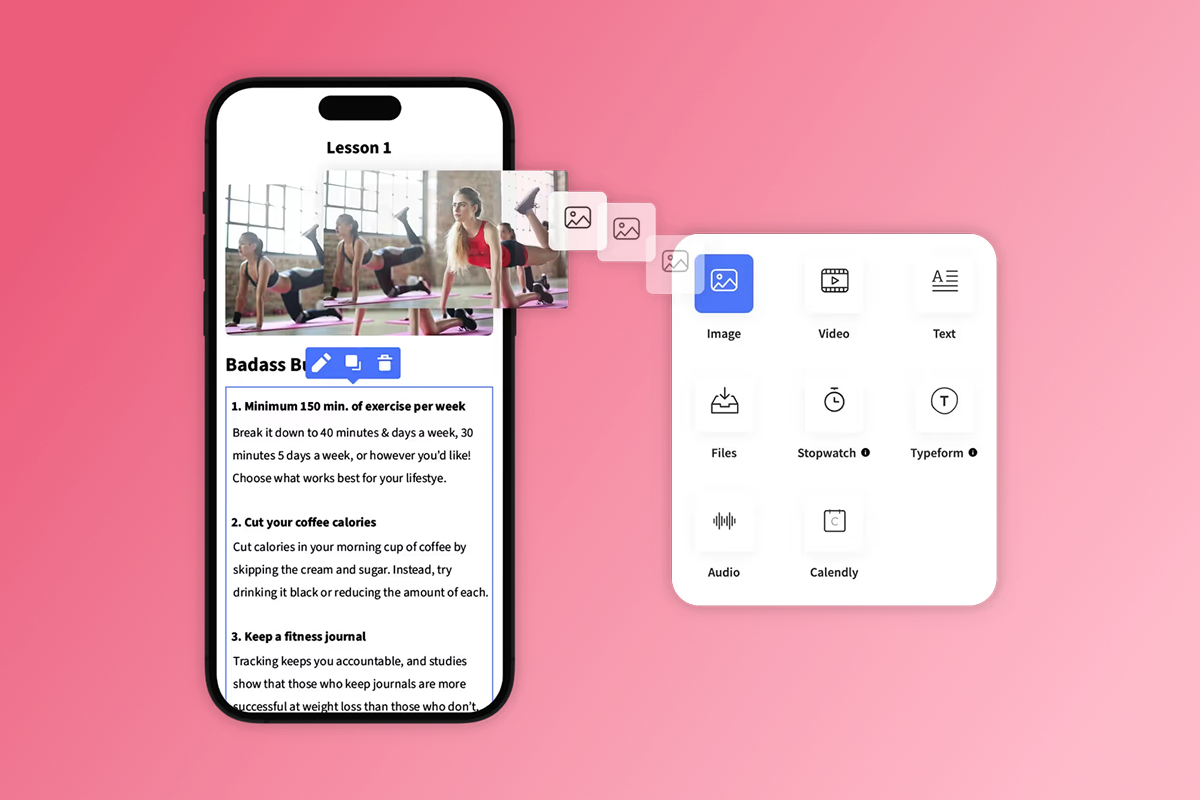
Passion.io's app builder metadata templates are designed to streamline the submission process. Instead of starting with a blank field and guessing at character counts, you work from a structured template that maps each field to its purpose and limit, removing the guesswork from the first submission and reducing back-and-forth during App Store review.
We show you the exact metadata fields in the Passion.io app builder and how to populate them with researched keywords in a step-by-step video walkthrough.
Before you submit, review our pre-submission checklist and our Apple App submission guide. Most App Store reviews complete in 24-48 hours, though complex submissions can take longer. One Passion.io user shared this honest account of the Google Play process:
"It took me many months and requiring me to get over a dozen people to test it daily for weeks during that period, and even then, there was no guarantee of when it would be approved. Everything else about Passion I've appreciated." - Jesse Wiens Chu on Trustpilot
Use the web app version to onboard your first members while the store review is in progress. If Apple requests metadata changes, our Apple review guidelines response guide gives you a clear process. Once your app is live, consider revisiting your keyword list periodically, since rankings shift as new apps enter your category. You can also submit custom screenshots to improve conversion rates once you have enough download data to identify what resonates.
Watch the Welcome to Your Passion App video for a platform overview, then try Passion.io to build your branded app and put these keyword strategies into practice.
FAQ
What are ASO tools?
ASO tools are software platforms that help you improve your app's visibility in the App Store and Google Play through keyword research, competitor analysis, rank tracking, and performance reporting. Free options like ASOTools.io cover early-stage needs, while paid tools like AppTweak (~$79/month) add advanced competitor intelligence and creative testing.
What is the best ASO tool?
For most solo creators and coaches, Appfigures ($7.99/month) or Astro ($9/month) offer the best combination of affordability and accuracy. AppTweak (~$79/month) is the premium choice for teams managing multiple apps or countries, and free tools like ASOTools.io are sufficient for initial keyword discovery.
What are ASO keywords?
ASO keywords are the specific words and phrases that users type into the App Store or Google Play search bar when looking for apps, and that you include in your app's title, subtitle, keyword field, and description to increase your visibility in search results.
How do you find ASO keywords?
Start by listing 10-15 phrases your target audience would search, then run them through a free tool like ASOTools.io to find related terms with measurable search volume and manageable difficulty scores. Filter for terms with difficulty below 6/10 and volume above 5/10, and study two or three competitor app listings for additional ideas.
What are the best free ASO tools?
ASOTools.io (now free under Appark.ai), FoxData, and AppFollow all offer free access that covers keyword research, competitor monitoring, and basic rank tracking. Asolytics and AppStance both offer trial periods (7 days and 30 days respectively) before requiring a paid plan.
Key terms glossary
App Store Optimization (ASO): The process of improving your app's visibility in the App Store and Google Play by optimizing metadata, visuals, and ratings so that more high-intent users find and download your app through organic search.
Keyword research: The process of identifying the specific words and phrases your target audience uses when searching for apps like yours, ranked by search volume and competition level, to prioritize which terms to include in your metadata.
Search Volume: A score or estimate reflecting how many times users search for a specific keyword in the app store per month, used to gauge whether a term is worth targeting.
Keyword Difficulty: A score (usually 0-10) indicating how hard it is to rank in the top results for a keyword, based on how many established apps with strong ratings are already competing for that term.
Competitor analysis: Reviewing other apps in your category to identify which keywords they target, how they structure their metadata, and what user reviews reveal about their audience's language and priorities.
App Store Ranking: Your app's numerical position in search results for a specific keyword, where position 1 generates the most impressions and downloads, and positions below 10 receive significantly less organic traffic.
Organic downloads: App installs that occur when users find your app through browsing or searching the store without paid advertising, typically indicating higher intent and better long-term retention than paid installs.
Metadata optimization: The practice of refining the text fields of your app listing (title, subtitle, keyword field, and description) using researched keywords to increase search visibility and improve conversion rates from listing views to downloads.

Build the business
behind what you know.
Turn your expertise into a branded app with courses, community, and the You AI Coach. Launch plan from $99/month.