


How Creators Build Steady Subscription Income Without Patreon
Updated 18th December, 2025
Many creators start on platforms like Patreon for monetization but face limitations in audience ownership, engagement, and revenue predictability. Moving to a branded mobile and web app provides greater control, fosters deeper community, and establishes stable, subscription-based income. You'll see concrete steps, real costs, and proven strategies to make the transition in weeks, not months.
Why creators seek Patreon alternatives
The main limitations creators face on traditional platforms:
- Rented land risk: When you build on Patreon or similar services, you face sudden algorithm changes, fee increases, and policy shifts that throttle your reach overnight. Communication gaps compound these risks:
"They are not as active on Youtube regarding making videos on how to use their products." - Patreon G2 Review
- Engagement gaps: Patreon's mobile experience lacks push notification power and in-app community features that drive completion and retention. When you can't tap members directly on their phones with timely nudges, your completion rates suffer. Mobile apps drive 2.5x more logins per week than web-only platforms, and push notifications deliver 7x higher engagement versus email.
- Fee structures without ownership: While Patreon charges 5-12% depending on your plan, you face additional payment processing fees. More critically, you don't own the direct customer relationship or the full dataset about how your members engage. This compounds organizational challenges:
"Patreon's organization is poor." - Patreon G2 Review
- No branded experience: A custom brand presence signals premium value and builds trust. When members open "your" app rather than navigating to "Patreon," the psychological ownership shifts to you controlling colors, features, pricing, and the entire journey.
Key Patreon alternatives for creators
Patreon built its reputation by making it simple for creators to collect monthly support from fans through tiered memberships. The platform handles payments, offers basic content posting, and provides a familiar interface. For creators just starting out, Patreon's low barrier to entry and established user base can jumpstart revenue.
However, as you grow, the limitations become clear. You need more control, better mobile engagement, and features designed for courses, challenges, and communities rather than just content posts.
Comparison: Platform features
Comparison: Fees and best fit
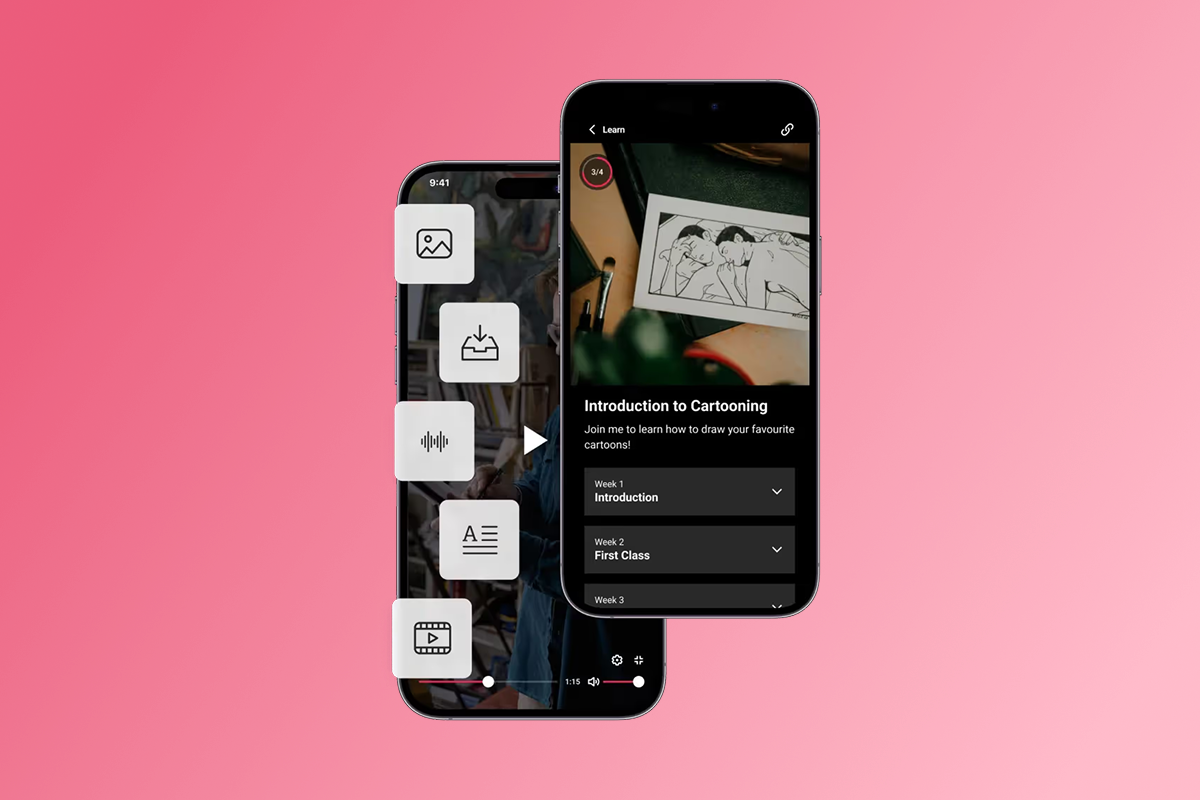
Passion's features include true branded mobile apps for iOS and Android plus web, built with a drag-and-drop, no-code platform. You can launch a fully functional app in weeks without hiring developers.
Use case: A fitness coach uses Passion's course features to run a 30-day challenge with daily workout videos, progress tracking with goal features, and push notifications that remind participants every morning at 7 AM to complete their session. Members open the branded app, check in, log their workout, and engage in the community channel where they share progress photos and encouragement.
Other notable alternatives
- Ko-fi appeals to artists and writers with its 0% platform fee on donations and 5% on memberships, making it cost-effective for creators with established audiences. However, Ko-fi lacks a branded mobile app, push notifications, and course features.
- Substack dominates the newsletter space with simple subscription tools and a built-in audience discovery network. However, Substack remains web and email focused, missing mobile-first engagement tools.
- Ghost gives tech-comfortable publishers full control with self-hosted options and 0% platform fees. However, Ghost lacks native mobile apps and push notification workflows out of the box.
- Uscreen targets video-first creators with strong OTT and TV app support. However, Uscreen focuses on video streaming rather than interactive courses and communities, with starting fees of 2% plus monthly platform costs.
How a branded app builds steady subscriptions and engagement
Owning your audience and data transforms your business model from rented to owned. When members download your branded app, you control the relationship directly. You collect their email, track their engagement patterns, and communicate without algorithm interference. Creators typically see +10-20% MRR growth in 90-180 days by owning their audience and shifting from launch spikes to recurring subscriptions.
Mobile-first engagement with push notifications
Push notifications drive completion and retention in ways email never can. They bypass crowded inboxes and land directly on the lock screen, where members see your message within seconds, increasing the likelihood they'll take action.
- Use case: An arts instructor schedules weekly push notifications every Monday at 6 PM to announce new course modules. When members see the notification, they tap to open the app and start the lesson immediately. Completion rates jump because the nudge arrives at the optimal moment.
Most creators see completion lift when they add push plus weekly challenges. Target +15-30% completion improvement in 90 days. Measure success with lesson completion rates and DAU/MAU (daily active users / monthly active users) ratios tracked inside your app analytics.
- Strategic push cadence: Schedule two push nudges per week during your challenge or course launch. Send one reminder at the start of the week to set intentions and one mid-week check-in to maintain momentum. Avoid daily pushes that risk notification fatigue.
In-app community and challenges
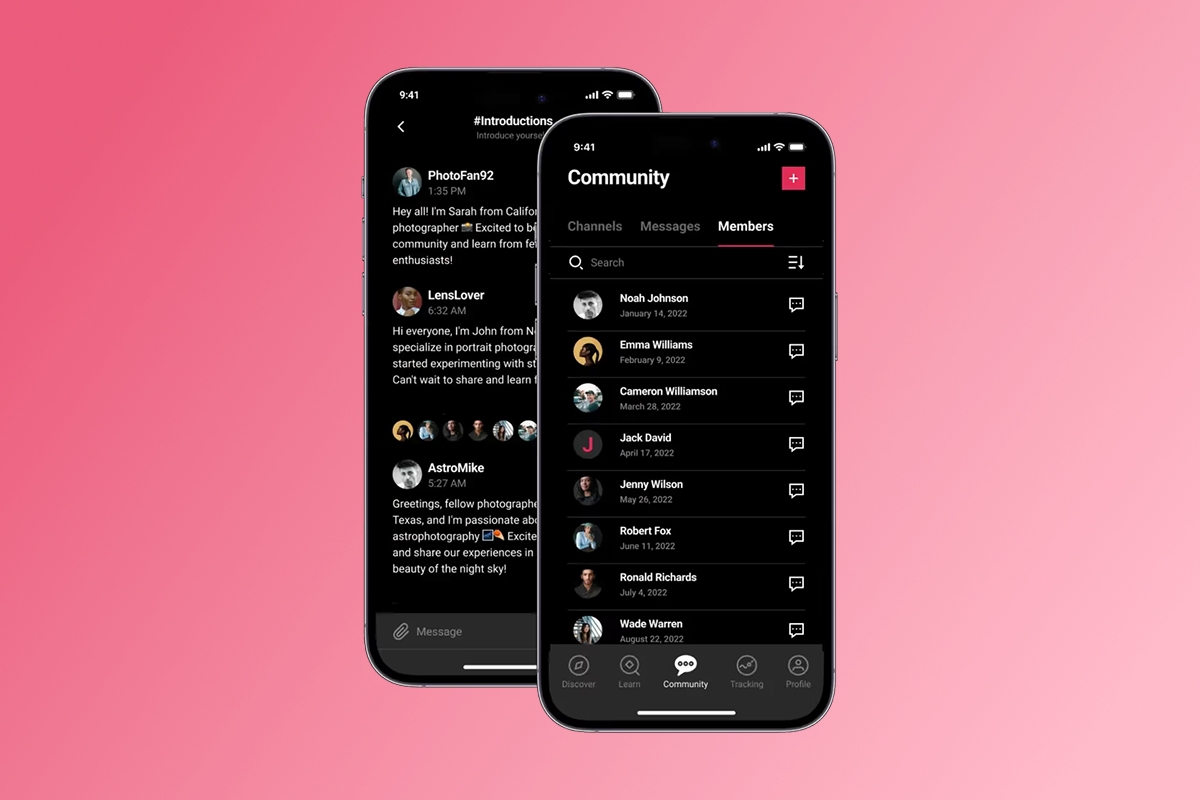
In-app community channels foster connection and accountability that Facebook groups never deliver. When community lives inside your branded app, members don't get distracted by their news feed, political arguments, or algorithm-suppressed posts.
Creators find that the platform delivers more than technology alone:
"It's more than just the tech, it's the know-how." - G2 Customer Review
Use case: A business coach hosts a live Q&A session within the app's community channel every Thursday at noon. Members submit questions in advance, upvote the most pressing topics, and receive real-time answers. The session recording stays accessible in the community feed, creating an evergreen resource library.
Challenges create urgency and gamification that boost participation. Structure a 30-day challenge with daily tasks, progress tracking, and a leaderboard that displays top performers. Creators package content into time-bound challenges to drive engagement and conversions.
Flexible monetization with PassionPayments and IAP
Monetization flexibility separates platforms that help you scale from those that limit growth. Passion's app monetization features support subscriptions (weekly, monthly, annual), one-time purchases, freemium access tiers, and bundles. You choose the pricing structure that fits your business model.
Transparent fee breakdown:
- Web checkout via PassionPayments: Passion charges a 3.9% platform fee plus standard Stripe processing fees on web purchases.
- In-app purchases (IAP): Apple and Google retain 15-30% depending on your revenue threshold and Small Business Program eligibility.
- External checkouts: Passion charges 0% on external checkouts processed outside PassionPayments, giving you maximum flexibility to optimize margin.
Choose your path strategically: Route high-value bundles and annual subscriptions to web checkout where you keep more margin. Offer IAP for mobile convenience on smaller monthly plans where the 15-30% fee matters less and the frictionless purchase flow matters more.
"It isn't as customisable as other programmes" but "Not having to pay to build an app. That is really handy." - G2 Customer Review
Reducing tool sprawl
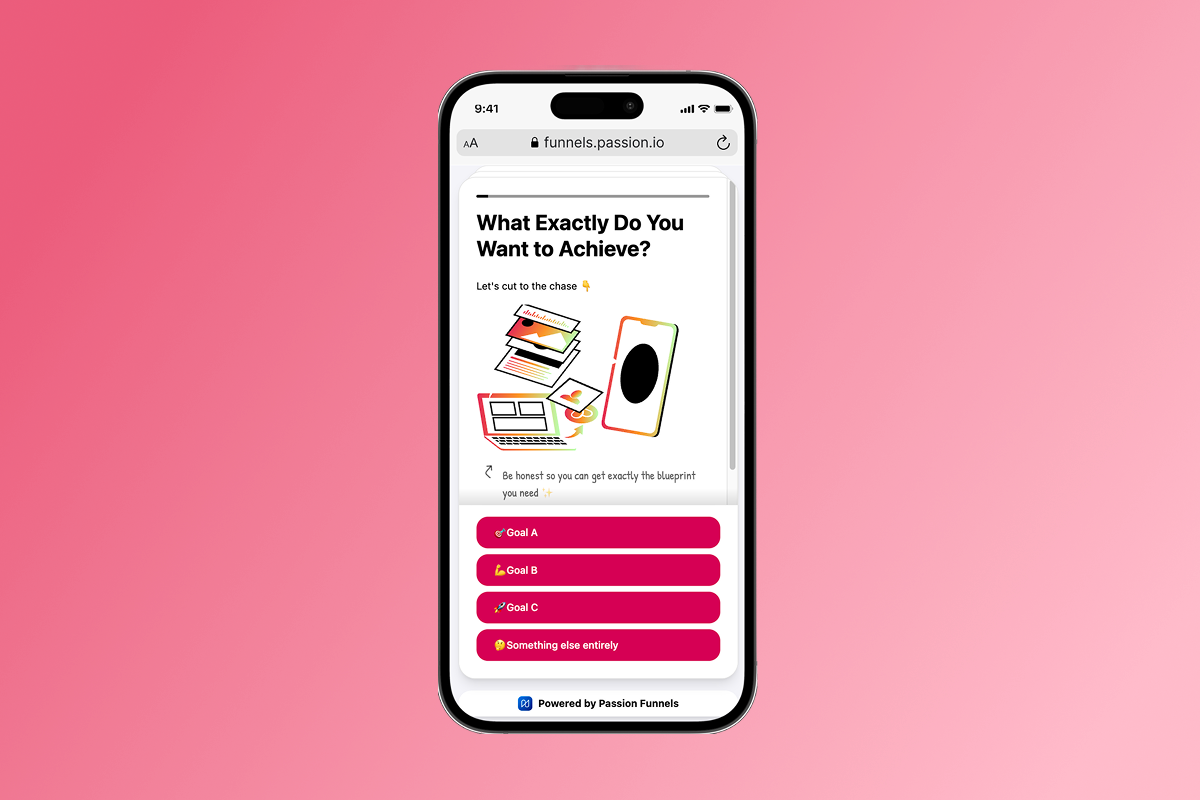
Consolidating content, community, and payments in one place cuts operational drag and support tickets. When you juggle Instagram DMs, a Facebook group, Zoom links, Stripe checkout pages, and a separate LMS, every new member multiplies your workload. Bringing everything into a single branded app reduces access questions and failed payment chases while streamlining your workflow.
Launching your branded app: A step-by-step plan
Your 30-day app launch plan balances speed with quality. Most creators publish their web app in 2 weeks and submit to app stores by week 3-4, with full iOS/Android listings live shortly after depending on review times.
Checklist: Your 30-day app launch plan
Days 1-7: Content migration and developer accounts
- Upload core content: Migrate 10 core lessons or videos that deliver your primary value. Focus on your best-performing modules first. Verify new members can find lesson 1 within 2 taps from home screen.
- Submit developer accounts: Open your Apple Developer Program account ($99/year) and Google Play Developer account ($25 one-time). Start this immediately because approval can take 5-7 days.
Days 3-10: App design and branding
- Customize your app: Use Passion's drag-and-drop builder to apply your logo, brand colors, and fonts. Select a template that matches your content type (course, community, challenge, or hybrid).
- Structure navigation: Organize lessons into logical sections, set up community channels, and create your onboarding flow for new members.
Days 7-14: Pricing and monetization setup
- Define pricing tiers: Set monthly and annual subscription prices. Successful creators generate strong annual revenue with hundreds of subscribers through clear, tiered pricing. Consider a three-tier model: basic monthly, premium monthly with bonus content, and annual with 2 months free.
- Configure payment pathways: Connect PassionPayments for web checkout (3.9% platform fee + Stripe) and enable Apple/Google IAP for mobile purchases (15-30% to app stores).
Days 10-14: Web app launch
- Publish your web app: Go live with your web version immediately to start onboarding members while app store submissions process. Your web app works on all browsers and mobile devices without app store approval delays.
Days 14-21: App store submission
- Prepare store assets: Create app screenshots, write your app description, and gather required metadata. Higher-tier plans include app store submission assistance.
- Submit to Apple and Google: Upload your app through the respective developer consoles. Plan a 1-2 week buffer for review, though many apps pass on first submission.
Days 21-30: Engagement strategy
- Plan push notification cadence: Schedule two push nudges per week. Push notifications drive significantly higher engagement than email, so build your calendar before launch.
- Design your first 30-day challenge: Structure a time-bound challenge with daily tasks, progress tracking, and community check-ins to drive early engagement and completion.
- Create onboarding sequence: Build a welcome series that guides new members through their first week, explaining how to access content, join the community, and enable push notifications.
Risks and mitigations
- App Store delays: Apple and Google reviews typically take 3-7 days, but can extend to 2 weeks if they request clarifications on metadata or screenshots. Use your web app for immediate member access while store submissions process. Communicate clearly that mobile app downloads are coming soon.
- Fee misunderstandings: Members may not understand why subscription prices differ between web and mobile. Display transparent pricing on your sales page explaining that app store fees impact mobile pricing, directing members to web checkout for best value.
- Plan limits: Launch plan includes limits on videos, subscribers, and push notifications per month. Verify current quotas before promising unlimited access. Plan to upgrade to higher tiers as you grow beyond starter thresholds.
Most creators launch web apps in 2 weeks, with app store submissions underway by week 3-4 and full mobile availability shortly after.
How Passion supports your growth
Passion's no-code builder removes the technical barrier that stops most creators from launching apps. You drag and drop content, apply your branding, and publish without hiring developers or writing code.
"Passion makes building your own e-learning app fast, simple, and stress-free" with "no tech experience required." - G2 Customer Review
Expert training and playbooks set Passion apart from pure tech platforms. Access to resources like the Expert Unleashed Challenge and Passion Academy teaches you not just how to build an app, but how to structure offers, launch effectively, and convert followers into paying customers. Creators value the platform because it provides invaluable training on course creation and marketing alongside the technology.
"I like that there's an easy to follow system to not only build your App but also you Business. It makes you think about the fundamentals of your business so that you can create an app that's suited for your clients' needs." - G2 Customer Review
Dedicated support assists with app submission and ongoing growth. One creator shared:
"I have worked with Meghan a few times now and she is great! She was able not only to follow through but also found something wrong with my STRIPE account that I was not aware of." - TrustPilot Review
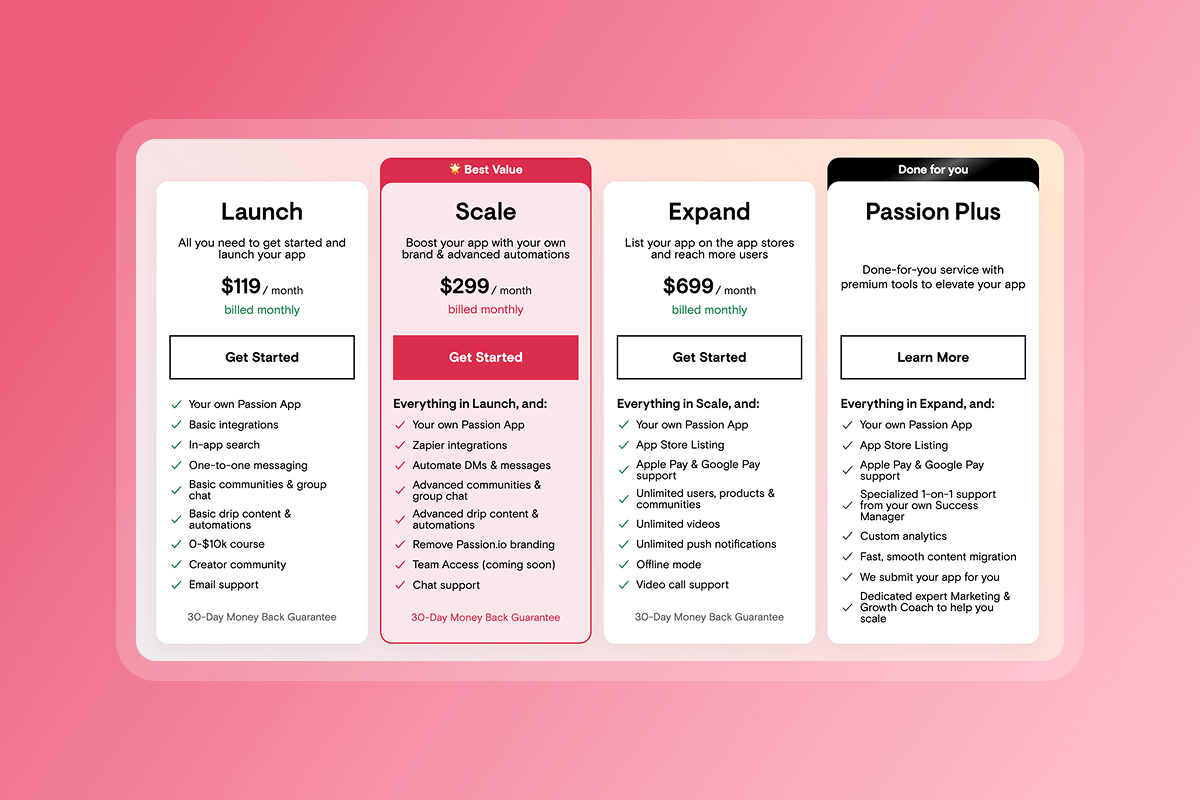
Scalability built into the platform means your app grows with your audience. Start on Launch ($99/month annual) to validate your concept. Upgrade to Scale ($239/month annual) when you need expanded automations and community features. Move to Expand ($599/month annual) for unlimited users, videos, and push notifications with app store listing support. For white-glove service, Plus ($10,000-$20,000 custom scope) provides done-for-you build, migration, success manager, and growth coaching.
For a complete walkthrough, watch the Passion Tutorial 2025 on YouTube.
Own your future, beyond Patreon
A branded mobile and web app transforms your business from rented land to owned property. You control the customer relationship, the data, the engagement tools, and the monetization pathways. Creators who own their audience typically see +10-20% MRR growth in 90-180 days and +15-30% completion improvements. The transition from launch spikes to steady subscriptions starts with owning the platform.
Ready to build your own branded app and secure steady subscriptions?
Try Passion to launch your app risk-free and start planning your transition today.
Frequently asked questions
What are the best Patreon alternatives for artists and writers?
For artists, Ko-fi offers 0% fees on donations and 5% on memberships with simple tip jars, while writers often prefer Substack for newsletter-style subscriptions at 10%. However, both lack branded mobile apps and push notifications. Passion serves artists and writers who want community features, mobile engagement, and course hosting.
Is there a free Patreon alternative?
Ko-fi offers a free tier with 0% platform fees on one-time donations, taking only payment processing costs. However, free tiers come with significant feature limitations.
What is the Patreon controversy?
Patreon has faced controversies over creator deplatforming decisions and fee structure changes. These incidents highlight the risk of building on rented land where platform policies can change without creator input.
Key terminology
Patreon alternative: A platform or service that enables creators to monetize content and build communities while offering features, ownership, or pricing that differs from Patreon's membership model.
Membership platform: Software that handles recurring subscription billing, content access control, and community features for creators offering ongoing value to paying members.
Creator economy: The market of independent content creators, coaches, and educators who monetize their expertise directly through digital products, courses, communities, and memberships.
Audience ownership: Direct control over customer data, communication channels, and the relationship with your members, independent of third-party platform algorithms or policies.
Recurring revenue: Predictable monthly or annual income from subscription memberships rather than one-time sales, creating business stability and higher lifetime value per customer.
Branded app: A mobile application (iOS/Android) and web platform customized with your logo, colors, and brand identity, giving members the experience of using "your" app.
No-code app builder: Software that allows non-technical users to create functional mobile and web applications through drag-and-drop interfaces and templates, eliminating the need to hire developers.
Transaction fees: Percentage-based charges applied to each sale or subscription payment, including platform fees (like PassionPayments 3.9%) and payment processor fees (like Stripe).
Community building: The practice of fostering engagement, connection, and mutual support among members through discussion channels, live events, challenges, and peer-to-peer interaction.
Monetization: The strategy and mechanisms for generating revenue from your content and community, including subscriptions, one-time purchases, bundles, in-app purchases, and tiered pricing models.

Build the business
behind what you know.
Turn your expertise into a branded app with courses, community, and the You AI Coach. Launch plan from $99/month.