


How to Get Your Passion.io Course App Approved Faster on the App Store
Updated 23rd December, 2025
Your course launch is live in three days. Your students are registered. Then a critical bug surfaces in your Passion app, or Apple requests metadata changes that push your timeline to the edge. Can you speed up the App Store review?
Yes, under specific conditions. Apple's expedited review process exists for urgent situations, but understanding when and how to use it makes the difference between approval and denial. This guide walks you through Apple's exact criteria, the preparation steps within Passion, and how to submit a request that gets your education app approved faster for critical bugs or time-sensitive launches.
Can you really speed up App Store approval for your education app?
Apple offers expedited reviews for what they call extenuating circumstances. The standard App Store review process typically takes 24-48 hours, with approximately 90% of submissions reviewed within this timeframe. If Apple approves your expedited request, you'll see results in 4-12 hours.
The catch is that Apple grants these requests on a limited basis. They expect a compelling reason and full compliance with their review guidelines.
Apple's expedited review criteria
Apple explicitly states you can request expedited review for two primary situations: critical bug fixes and time-sensitive event releases.
- Critical bug fixes: When your live app has a bug that significantly impacts users, you can request faster review. Apple requires you to include steps to reproduce the bug in the current version so reviewers can verify the issue.
- Time-sensitive event releases: If your app release needs to coincide with a specific event you're directly associated with, you may qualify. Your request must include the event, its date, and your clear association with it.
For education apps built on Passion, valid examples include a course challenge starting on a fixed date, a seasonal program launch tied to a specific calendar event, or a bug preventing students from accessing paid content.
When to request an expedited review
Request expedited review only when the standard timeline would cause genuine harm. Examples that have succeeded include critical crashes affecting users and product launches tied to time-sensitive campaigns.
One fitness creator using Passion requested an expedited review when a payment gateway bug blocked new student enrollments during a 72-hour launch window. The fix was approved in 8 hours.
Do not request expedited review for standard new app submissions, minor UI tweaks, or general "we'd like it faster" situations. Apple warns that excessive requests might result in future requests being ignored.
Preparing your Passion app for a faster review
Thorough preparation increases your approval odds and prevents delays. The same rigorous App Store Review Guidelines apply to expedited submissions.
Ensure your app meets all guidelines
Before submitting, verify your Passion app complies with Apple's education app requirements. Common rejection reasons include incomplete content, placeholder text, broken links, or missing privacy policies.
Check these areas in your Passion builder:
- Complete content: All course lessons contain finished content, no "coming soon" placeholders
- IAP accuracy: In-app purchase descriptions match your actual offerings
- Policy links: Link your privacy policy and terms of service where users can access them
- Test credentials: Provide valid test accounts in App Store Connect
"Passion makes building your own e-learning app fast, simple, and stress-free. With their no-code, drag-and-drop platform, I was able to design, build, and launch a fully functional app in just a few hours—no tech experience required." - Customer Review
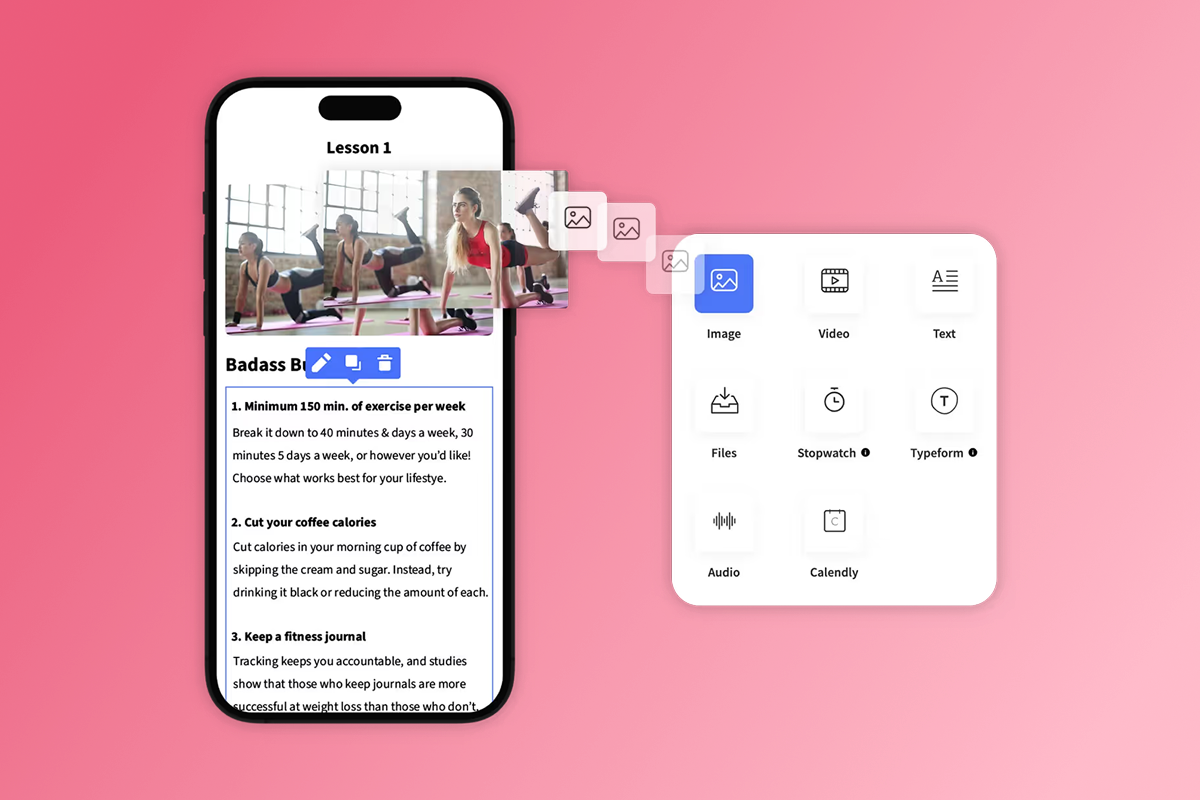
Passion's no-code builder helps you fix content issues quickly without waiting for developers.
Ensure your app meets all guideline
Optimize your app's metadata and screenshots
Inaccurate or misleading metadata frequently causes rejection. Your app name, description, and screenshots must accurately represent what users will experience.
For your Passion course app:
- Clear description: Write a concise app description explaining the educational value
- Accurate screenshots: Show actual course content, not generic stock images
- Brand-matched name: Match your app name to your brand, avoid keyword stuffing
- Correct rating: Set the age rating based on your content
Test thoroughly before submission
Submitting an incomplete or buggy app can result in rejection, even with an expedited request. Test every feature reviewers will see.
Use this testing checklist:
- Log in with the test account you'll provide to Apple
- Complete a lesson from start to finish
- Test in-app purchases in Apple's sandbox environment
- Verify push notifications display correctly
- Check offline content downloads if enabled
- Test community features and comment threads
Step-by-step: Requesting an expedited review for your Passion app

Follow these exact steps to submit your expedited review request through App Store Connect.
1. Identify your urgent need
Before you start the request, document your specific reason. For a critical bug fix, write step-by-step instructions to reproduce the issue in your current live app. For a time-sensitive event, note the exact date and why a delay would cause significant problems.
Write your justification in 2-3 clear sentences. Avoid vague language like "we need this faster."
- Good example: "Our live app (v1.2) has a critical bug where users cannot access purchased courses after login. Steps to reproduce: 1) Log in with test account, 2) Navigate to 'My Courses', 3) Observe blank screen. This affects 80% of our 500+ paid users. We need to deploy the fix in v1.3 urgently to restore access."
- Bad example: "We have some bugs and improvements that would be good to get out soon."
2. Prepare your request in App Store Connect
Sign in to your Apple Developer account at developer.apple.com. You'll need an active Apple Developer Program membership ($99/year for iOS).
Navigate to the bottom of the homepage and click Contact Us. Select "App Review" from the topic list, then choose Expedited App Review Request.
Fill out the form with:
- Your name and email
- Your organization (your business name)
- App name (your Passion branded app name)
- Platform (iOS)
- A concise, specific reason for urgency
Include login credentials if your app requires them. Apple reviewers need to access all features. Provide a demo account with full access to your Passion course content.
3. Submit your app for review
After submitting your expedited review request form, return to App Store Connect and submit your app build as usual. The expedited request runs parallel to the standard submission process.
In the "Notes for Review" section of App Store Connect, repeat your justification and reference your expedited request. Provide any special instructions reviewers need to test your app.
If you're on Passion's Expand or Plus plan, your dedicated App Store submission support can help you prepare these notes to increase approval odds.
4. Monitor status and respond quickly
Apple typically responds within a few hours. If approved, your review can complete in 4-12 hours. If denied, you'll receive a message stating your request does not meet the criteria for expediting.
Watch for communication in App Store Connect and your registered email. If Apple's review team has questions or finds issues, respond immediately. Delays in answering questions extend your review time.
How Passion helps streamline your app approval process
While we cannot guarantee Apple's approval decisions, Passion provides tools and support that improve your submission quality and speed.
No-code builder for compliant content
The Passion drag-and-drop builder helps you fix content issues quickly. When Apple's review team requests changes to course descriptions, payment flows, or content structure, you can make updates in minutes.
Common scenarios where this matters:
- Removing placeholder content or adjusting IAP descriptions before submission
- Updating privacy policy links or modifying lesson structure
- Making metadata changes requested during review
Dedicated App Store submission support (Expand/Plus)
Passion's Expand and Plus plans include App Store submission support, meaning our team helps prepare your submission, reviews your metadata for compliance, and guides you through Apple's requirements. This support becomes critical for expedited reviews, where one mistake can mean denial.

On Launch and Scale plans, you'll handle submission yourself using Passion's documentation and checklists. Our 15,000+ launched apps provide proven templates you can follow.
Clear guidance on App Store requirements
We train you through the Expert Unleashed Challenge and Passion Academy, covering app submission basics, common pitfalls, and monetization strategies that comply with Apple's rules. We also maintain up-to-date guidelines for PassionPayments web checkout versus in-app purchases, helping you structure pricing that meets both your margin goals and Apple's requirements.
"I like that there's an easy to follow system to not only build your App but also your Business." - Customer Review
Common pitfalls to avoid during expedited review
These mistakes frequently lead to expedited review denials or app rejections.
- Incomplete or inaccurate information: Failing to provide all necessary details is a common mistake. If your app requires login, Apple reviewers need working credentials. For Passion apps, include test account username and password, instructions for accessing paid content, details on how to navigate to the feature you fixed, and any special configurations needed. If your justification is vague or lacks specific impact details, Apple will likely deny the request.
- Misunderstanding review guidelines: Requesting expedited review for non-urgent situations carries risks. One developer reported their company was denied multiple requests after submitting too many non-critical requests. Apple reserves expedited reviews for exceptional circumstances. Repeatedly submitting requests for minor issues may result in future legitimate requests being ignored.
- Frequent resubmissions without addressing feedback: If Apple rejects your app during expedited review, carefully read their feedback before resubmitting. Submitting the same build without fixing reported issues wastes your expedited request opportunity. Use Passion's builder to address the specific issues Apple identifies. One developer successfully received a second expedited review in under an hour after clearly explaining their mistake and providing evidence of the continued critical issue.
Launch your course app with confidence
Expedited App Store reviews are a valuable tool when you face critical bugs or time-sensitive launches, but they're not a shortcut for standard submissions. Apple's criteria are strict, approval is not guaranteed, and the same review guidelines apply.
Your best path forward combines thorough preparation, clear communication of genuine urgency, and tools that help you meet Apple's requirements consistently. Passion's no-code platform gives you the speed to fix issues quickly, while our training and support (especially on Expand and Plus plans) increase your odds of first-time approval.
Most Passion creators launch their apps within 4-8 weeks, with web apps going live in 2-3 weeks and App Store submissions adding another 2-4 weeks depending on plan-level support. Budget $99/year for Apple Developer Program membership, plan a 1-2 week buffer even with expedited requests, and prepare your content, metadata, and test accounts before you submit.
We help creators launch in 4-8 weeks. Book a demo or try Passion to start building your branded course app today.
FAQ
Can I request an expedited review for my first Passion app submission?
No, Apple's expedited review process is for critical bug fixes or time-sensitive events, not initial app launches. Plan 4-8 weeks for your first submission including standard review times.
How many expedited reviews can I request per year?
Apple doesn't state an explicit limit, but submitting excessive requests may result in future requests being ignored. Use expedited reviews only for genuine emergencies.
What happens if Apple denies my expedited review request?
Your app enters the standard review queue, typically 24-48 hours. You won't be penalized, but repeated non-urgent requests may affect future consideration.
Does Passion charge extra for expedited review support?
No, but App Store submission support is included only on Expand and Plus plans ($599/month annual and up). Launch and Scale plan users handle submission independently.
How long does expedited review typically take if approved?
Most approved expedited reviews complete in 4-12 hours, compared to 24-48 hours for standard reviews.
Key terms glossary
App Store Connect: Apple's web-based tool for managing apps, submitting them for review, tracking performance, and communicating with the review team.
Expedited Review: A special request to Apple to accelerate the app review process, granted only for critical bugs or time-sensitive events directly associated with the app.
In-App Purchase (IAP): Digital content or subscriptions sold within a mobile app, subject to Apple's 15-30% fees depending on your enrollment in the Small Business Program.
PassionPayments: Passion's integrated payment gateway for web checkouts, charging a 3.9% platform fee plus standard Stripe processing fees.
Apple Developer Program: Annual membership ($99/year) required to submit apps to the iOS App Store. Includes access to testing tools, distribution, and analytics.

Build the business
behind what you know.
Turn your expertise into a branded app with courses, community, and the You AI Coach. Launch plan from $99/month.