


White Label App Builder Mistakes Creators Must Avoid
Updated February 5, 2026
TL;DR: Most white-label apps fail due to strategic errors, not bad technology. Creators ignore Apple and Google’s 15–30% in-app purchase fees, underestimate migration complexity, and launch without retention strategies. 25% of users abandon apps after one use. Quick fix: use hybrid monetization (web checkout for high-ticket, IAP for convenience). Long-term: consolidate community inside the app and build a 30-day launch runway. For creators earning $10k+ MRR, done-for-you service protects your brand and compresses launch from months to weeks.
You want to own your audience and escape algorithm risk. A white-label app is your fastest path. But the gap between "app live on iOS" and "app driving recurring revenue" is where most creator businesses stall. You have the content, the following, and the business model. What you need is a clear picture of the operational traps that turn a branded app into expensive shelfware.
Research shows 25% of apps are abandoned after just one use, and nearly 70% don't make it past three months. The reason? Execution gaps around fees, migration, engagement loops, and launch sequencing, not technology failures.
If you're evaluating white-label app builders and want to protect your investment, here are the six most expensive mistakes established creators make and the exact steps to avoid them.
Why do so many creator apps fail to launch?
White-label app builders give you the infrastructure to publish iOS, Android, and web apps without hiring developers. You drag in videos, PDFs, and community channels, then launch under your brand. You get speed, cost, and control compared to custom development that starts at $30,000 and takes six months.
We've found the silent killer isn't a broken feature but operational drag. You're juggling the new app alongside Instagram DMs, Facebook Groups, Zoom links, Stripe checkouts, and your existing course platform. The app becomes "one more tool" instead of the consolidated hub it should be.
App retention data shows the average retention rate drops to around 10.7% by day seven and approximately 5% by day 30. When your audience doesn't build a daily habit, the app disappears into their graveyard. Mobile apps require engagement architecture: push notifications, challenges, offline content, in-app community activity. Without these habit loops, your app is just a mobile website with a 30% Apple fee attached.
What strategic errors drain revenue before you start?
Mistake 1: Ignoring the "Apple Tax" and hidden platform fees
Here's the math that kills margins: Apple and Google charge a commission on every in-app purchase. Apple takes 30% by default, dropping to 15% for developers earning under $1 million per year. For subscriptions, Apple charges 30% in year one, then 15% from year two for any given subscriber. Google charges 15% on your first $1 million per year, then 30% beyond that.
Add in developer account costs (Apple charges $99 per year, Google charges $25 one-time), and your margin calculation shifts fast.
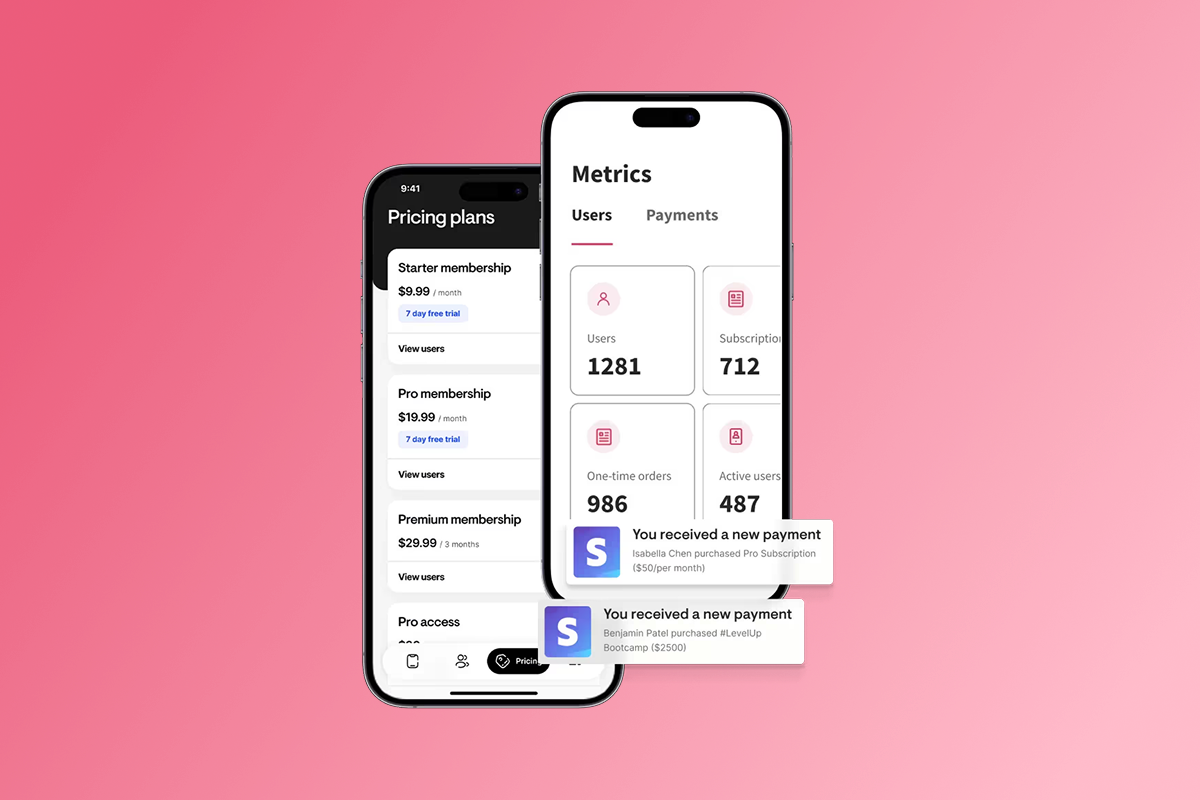
The fix: Use a hybrid monetization model. Passion.io's PassionPayments web checkout charges a 3.9% platform fee plus Stripe's standard processing (typically 2.9% + $0.30). According to Passion.io's pricing breakdown, for a $100 sale you'd pay roughly $3.90 to Passion, $2.90 to Stripe, and $0.30 fixed fee, netting around $92.90. Compare that to $70-$85 via Apple IAP. Route high-ticket offers, bundles, and annual subscriptions through web checkout. Reserve in-app purchases for low-friction, impulse buys.
For payments outside PassionPayments, we charge 0% on external checkouts processed through Stripe, PayPal, Shopify, or ClickFunnels. Connect via Zapier to sync purchases and grant access automatically.
| Payment Method | Platform Fee | Net on $100 Sale |
|---|---|---|
| Apple IAP (30%) | 30% to Apple | $70.00 |
| Apple IAP (15%) | 15% to Apple (Small Business) | $85.00 |
| Web Checkout (PassionPayments) | 3.9% + Stripe (~3.2%) | ~$92.90 |
| External (Stripe Direct) | 0% Passion + Stripe (~3.2%) | ~$96.80 |
How Passion.io helps: Our monetization tools let you configure web checkout, in-app purchases, and external integrations in one dashboard. Set pricing plans with availability selectors and paywalls so users see the right checkout path. Use the help doc on updating pricing plans to configure hybrid models in your developer accounts.
Mistake 2: Choosing a "rented" solution instead of owning the asset
Your course content lives on a platform you don't control. Your community lives in a Facebook Group. When the algorithm changes or the platform bans your account, you lose your audience overnight.
A white-label app flips this model. You own the customer data, the brand, and the relationship. But not all white-label builders are equal. Some lock you into proprietary formats or charge exit fees. Others embed their branding in your emails, diluting your professional image.
The fix: Before you commit, verify:
- Can you export all customer data and content if you leave?
- Does the platform charge to remove their branding?
- Do you control the Apple and Google developer accounts, or does the vendor publish under their master account?
Treat your app as infrastructure, not a marketing experiment. Just as you own your domain and email list, you should own your app's developer accounts and customer database.
How Passion.io helps: We publish your app under your Apple and Google developer accounts, not ours. You own the accounts, the app binary, and the customer data. You can export data and cancel anytime without losing access to your content or customer records.
Mistake 3: Underestimating the content migration workload
You have 100 videos on Vimeo, 50 PDFs in Google Drive, and lesson descriptions scattered across Notion and Docs. Each video needs a title, description, thumbnail, module assignment, and drip schedule. Each PDF needs organizing into lessons and tagging for search.
Content migration is time-intensive work. Moving substantial content libraries often takes weeks, not days, when done manually. For large catalogs (100+ videos, dozens of PDFs), the effort compounds quickly.
The fix: Audit your content before you buy an app builder. Create a spreadsheet with every video, PDF, and lesson. Map each asset to a module and decide which content is "launch critical" versus post-launch additions. This inventory gives you a realistic timeline.
For creators with large content libraries and established revenue, hiring a migration service becomes ROI-positive. PassionPlus white-glove onboarding handles the heavy lifting so you can focus on launch strategy and marketing, not file uploads.
How Passion.io helps: PassionPlus includes content migration as part of the scope. A dedicated success manager handles uploads, module organization, and quality assurance. Your job is providing assets and approving structure. We launch your app in as little as 30 days with white-glove service.
"Our support team has been so helpful and personable from day one. We really appreciate our CSM, Connor, who has been so quick to respond... We chose the Passion Plus Lite package, and feel that every penny of it was well invested from creation to launch." - Angie on Trustpilot
Mistake 4: Launching without a 30-day "warm-up" runway
You might think app launch happens in one day: submit to Apple, wait for approval, announce. In reality, app submission is the middle of the timeline, not the beginning. Apple's App Store review takes 24-48 hours on average, with 90% of submissions reviewed in less than 24 hours. Google Play reviews average 24-72 hours for most apps.
Before you submit, you need:
- Apple and Google developer accounts (processing time: 1-3 days)
- App store screenshots and descriptions
- Privacy policy and terms of service links
- Final content uploaded and tested
After approval, you need a launch sequence: pre-sell messaging, email announcements, and a push notification calendar to drive first logins.
The fix: Build a 30-day runway before your public launch date. Week 1: Open developer accounts and finalize content. Week 2: Prepare app store assets using ASO best practices. Week 3: Submit to Apple and Google. Week 4: Pre-sell, tease features, and prepare your launch push sequence.
Treat app launch like a product launch, not a software update. You're asking your audience to adopt a new behavior (opening an app daily instead of checking email or Facebook). See 8 must-know tips to master your next program launch for detailed planning.
How Passion.io helps: On Expand and Plus plans, we provide App Store submission support. If Apple requests clarifications, your customer success manager helps you respond. Before you submit, complete our pre-submission checklist. For Apple guideline questions, review how to respond to App Store review emails.
What engagement gaps cause high churn?
Mistake 5: Failing to use push notifications for habit formation
Push notifications are the highest-leverage feature of a mobile app. Unlike email or social posts with limited reach, push notifications can boost course completion by 20% when used strategically. But most creators treat push like promotional email: "New video live!" or "Join our webinar!" This trains users to ignore notifications or disable them entirely.
The fix: Use push for utility, not marketing. Schedule reminders tied to user behavior: "You're halfway through Week 2. Ready for today's lesson?" or "Challenge check-in: Log your progress now." Behavioral nudges create habit loops.
Build a 30-day push calendar before launch:
- Days 1-7: Onboarding nudges ("Complete your profile," "Start your first lesson")
- Days 8-14: Progress reminders ("You've completed 3 lessons")
- Days 15-30: Community prompts ("See what others are saying")
Segment your push notifications by user state. New users get onboarding sequences. Active users get progress nudges. Inactive users (no login in 7+ days) get re-engagement campaigns.
How Passion.io helps: Our push notification features include scheduling, user segmentation, and delivery analytics. Send manual broadcasts or automate nudges tied to lesson progress. Track delivery rates, open rates, and conversion to optimize messaging over time.
Mistake 6: Fragmenting the community (Facebook vs. App)
Your course content lives in the app. Your community lives in a Facebook Group. Your live calls happen on Zoom. Your Q&A happens in Instagram DMs. This fragmentation costs you engagement because users must remember five places to check. The result: low participation, missed messages, and high churn.
In-app community platforms help creators complete courses by unifying content and conversation in one branded mobile app. When users open the app to watch a lesson, they see community posts, challenge updates, and direct messages in the same interface.
The fix: Migrate your community into the app. Announce a deadline for closing the Facebook Group. During transition, cross-post major updates in both places, but make exclusive content (bonus lessons, live Q&A access) app-only. This creates urgency and rewards early adopters.
Treat the in-app community as your premium tier. Free content can live on social. Paid content, accountability groups, and direct access to you happen inside the app. This positioning reinforces subscription value and reduces refunds.
Before you announce migration, set up your app's community structure. Create channels for introductions, wins, questions, and program topics. Seed each channel with starter posts so new users don't see empty rooms.
How Passion.io helps: Our in-app community features include channels/topics, multimedia posts, group chat, and one-to-one messaging. Organize conversations by program, cohort, or topic, and use push notifications to alert users when someone replies. This keeps conversation active without constant manual moderation.
When should you stop DIYing and hire a partner?
If you're earning $10,000+ MRR from your coaching or course business, your time is valuable. The DIY approach makes sense for early-stage creators testing a business model. But for established creators with proven offers and time scarcity, DIY becomes a false economy. You're trading cash (which you have) for time (which you don't).
PassionPlus white-glove service includes app building, content migration, App Store submission, and a dedicated success manager. We launch your app in 30 days or less. Compare this to custom development ($30,000+ and 6 months) or extended DIY timelines.
| Approach | Time to Launch | Your Effort | Starting Cost |
|---|---|---|---|
| DIY (Launch plan) | 30–60 days | Significant | $119–$299/month |
| PassionPlus | 30 days | Minimal | Custom pricing + SaaS |
| Custom Dev | 6+ months | Ongoing meetings | $30k–$100k+ |
Implementation steps:
- Calculate your opportunity cost (lost revenue from time spent on DIY setup vs. growth activities)
- Estimate realistic DIY time commitment based on content volume
- Compare opportunity cost to done-for-you service investment
- Consider brand reputation risk from DIY mistakes during launch
How Passion.io helps: PassionPlus assigns you a dedicated success manager who handles app building, content migration, store submission, and launch. You provide assets and feedback. We handle execution. Your time investment: minimal hours over 30 days, mostly for approvals and strategy.
How does Passion.io prevent these common failures?
We built Passion.io to address these six mistakes through platform design, strategic features, and service tiers:
1. Protect your margins with hybrid monetization. PassionPayments web checkout (3.9% platform fee) gives you control on high-ticket offers, while in-app purchases provide mobile convenience. Choose the path based on product type and price point.
2. Own your data and accounts. You publish under your Apple and Google developer accounts. You control the app binary and customer data. Export data and cancel anytime without losing content or customer records.
3. Eliminate migration bottlenecks. PassionPlus handles content uploads, module organization, and quality assurance. Launch in 30 days without spending weekends on file management.
4. Reduce submission risk. Expand and Plus plans include App Store submission help. Your success manager reviews metadata, responds to Apple/Google feedback, and ensures compliance. See how to prepare for Apple submission.
5. Drive retention with native engagement. Our push notification tools let you schedule habit-forming nudges, not just marketing blasts. In-app community features consolidate conversations, reducing tool sprawl and increasing daily active usage.
6. Accelerate launch with training. We provide onboarding training, launch templates, and resources like Creator MBA to help you structure offers and execute launches. We give you the plumbing and the playbook.
For a visual walkthrough, watch Welcome To Your Passion App. For health and fitness use cases, see how professionals scale.
Stop guessing and start owning your audience
The fix isn't complicated. Use web checkout for high-ticket offers. Consolidate your community inside the app. Build a 30-day launch runway. And if you're earning $10k+ MRR, stop doing it yourself.
A done-for-you partner compresses timelines, protects your brand, and frees you to focus on growth, not app plumbing.
Ready to launch a fully branded app without the operational drag? Book a PassionPlus demo and see how white-glove service eliminates the six mistakes that kill creator apps. Or explore our platform demo to see the no-code builder, monetization tools, and community features in action. With a 30-Day money-back guarantee, included.
Specific FAQs
How long does Apple App Store review actually take?
90% of submissions are reviewed in less than 24 hours, typically 24-48 hours. Plan a buffer for potential clarifications or resubmissions. Google Play reviews average 24-72 hours for most apps.
Can I avoid the 30% Apple in-app purchase fee?
Yes. Sell via web checkout (PassionPayments at 3.9% platform fee + Stripe) and grant app access automatically. Apple charges 15-30% only on in-app purchases, not web-based transactions.
How much do Apple and Google developer accounts cost?
Apple charges $99 per year. Google charges $25 one-time. Budget these costs before launch.
How long does content migration take?
Migration time varies significantly based on content volume, organization, and complexity. Large content libraries (100+ videos, dozens of documents) often require weeks of work when done manually. PassionPlus handles migration in 30 days with white-glove support.
What percentage of users abandon apps after one use?
25% of users abandon an app after just one use. Average retention drops significantly by day 30.
Key terms glossary
White-label app: A mobile or web application built by a platform provider that you rebrand and publish as your own, without coding. You control branding, content, and customer relationships.
In-app purchase (IAP): Transactions processed through Apple's App Store or Google Play Store inside a mobile app. Apple and Google charge 15-30% commission on these transactions.
Push notification: A message sent directly to a user's mobile device, even when the app is closed. Push notifications drive higher engagement than email or social posts.
Churn: The percentage of subscribers who cancel or stop using your app each month. High churn (above 5-6% monthly) indicates weak engagement or poor product-market fit.
Native app: A mobile application built specifically for iOS or Android, offering features like push notifications, offline mode, and device integration that web apps cannot match.