


15-Point App Store Submission Checklist That Gets Passion.io Apps Approved Fast
 By Julieta Gil
Get your branded app approved faster by completing this 15-point checklist before submission. Prepare your app's content, metadata, and technical details to meet Apple and Google requirements. We built Passion.io's no-code builder to simplify this process, and we provide submission support on Expand/Plus plans. You can expect your web app live in weeks, App Store submission underway by weeks 3-4. Apple’s reviews 90% of submissions within 24 hours, Google in 1-7 days.
App Store submission delays cost creators real money. A two-week rejection-and-resubmit cycle can defer $700+ in MRR for apps targeting 50 users at $29/month. This comprehensive 15-point checklist, built from Passion.io's experience with thousands of creator submissions, eliminates the guesswork. Follow it to prepare your app for Apple and Google approval in 24-48 hours, not weeks.
Why app store submission matters for your branded app
Submitting your Passion app to Apple and Google is the gateway to owning your audience on the platform where they spend most of their time: their phones.
Owning your audience and boosting engagement
Social algorithms can throttle your reach overnight. Your branded app puts you in control. Push notifications reach members directly, without competing with Instagram's algorithm. Your community engagement becomes mobile-first.
"Passion is not just a platform to create your own app - it also provides invaluable training on how to build and sell your course." - Mathilde N. on Trustpilot
The cost of delays and rejections
Every day your app sits in review adds delay to your launch timeline. According to Apple's App Store Review Guidelines, 90% of submissions are reviewed in less than 24 hours, but rejections restart that clock. Common triggers include incomplete information, buggy performance, or misleading metadata. Apple or Google will reject an app for placeholder content or broken links, pushing your launch back 1-2 weeks while you fix issues and resubmit.
How Passion simplifies app store submission
Passion handles the complex app infrastructure so you can focus on content and community.
No-code app building for faster preparation
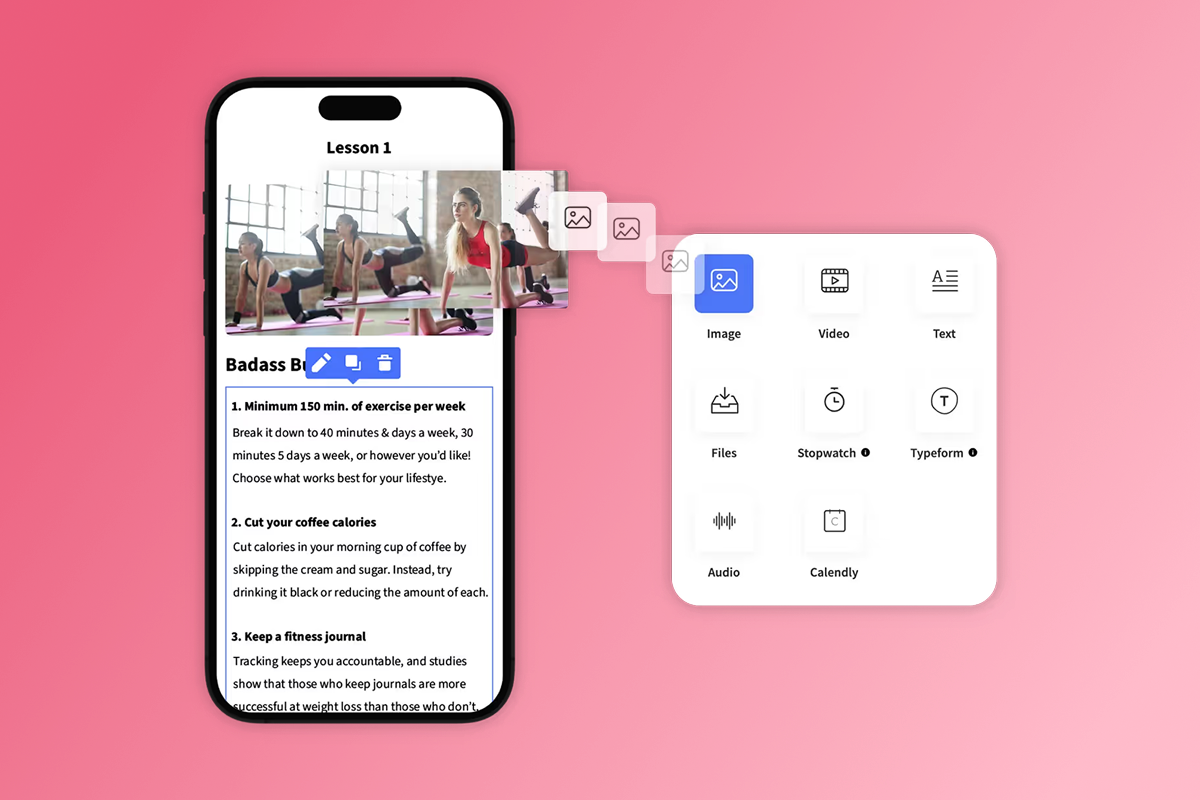
Passion's drag-and-drop builder lets you upload videos, structure lessons, set pricing, and brand your app in hours, not months. The platform automatically handles cloud hosting, automatic updates, web app publishing, iOS and Android app generation, and compliance with platform-specific requirements.
Built-in compliance and templates
Passion apps start with templates designed to meet Apple and Google guidelines. Your app structure, navigation, and core features are pre-validated, reducing design-related rejection risk. The platform ensures your app includes proper privacy policy integration, compliant payment flows, and standard UI patterns that reviewers expect.
App store submission support (plan-dependent)
On Expand and Plus plans, Passion provides app store submission assistance: guidance on developer account setup, help preparing metadata and assets, support during review, and troubleshooting if rejections occur. Launch and Scale plan users can submit independently using Passion's help articles and this checklist.
Your 15-point app store submission checklist
This checklist covers everything you need before hitting "Submit for Review" on either platform.
Section 1: Content and experience readiness
Your app's content must be complete, compliant, and functional. Reviewers will actually use your app.
1. Complete your app content
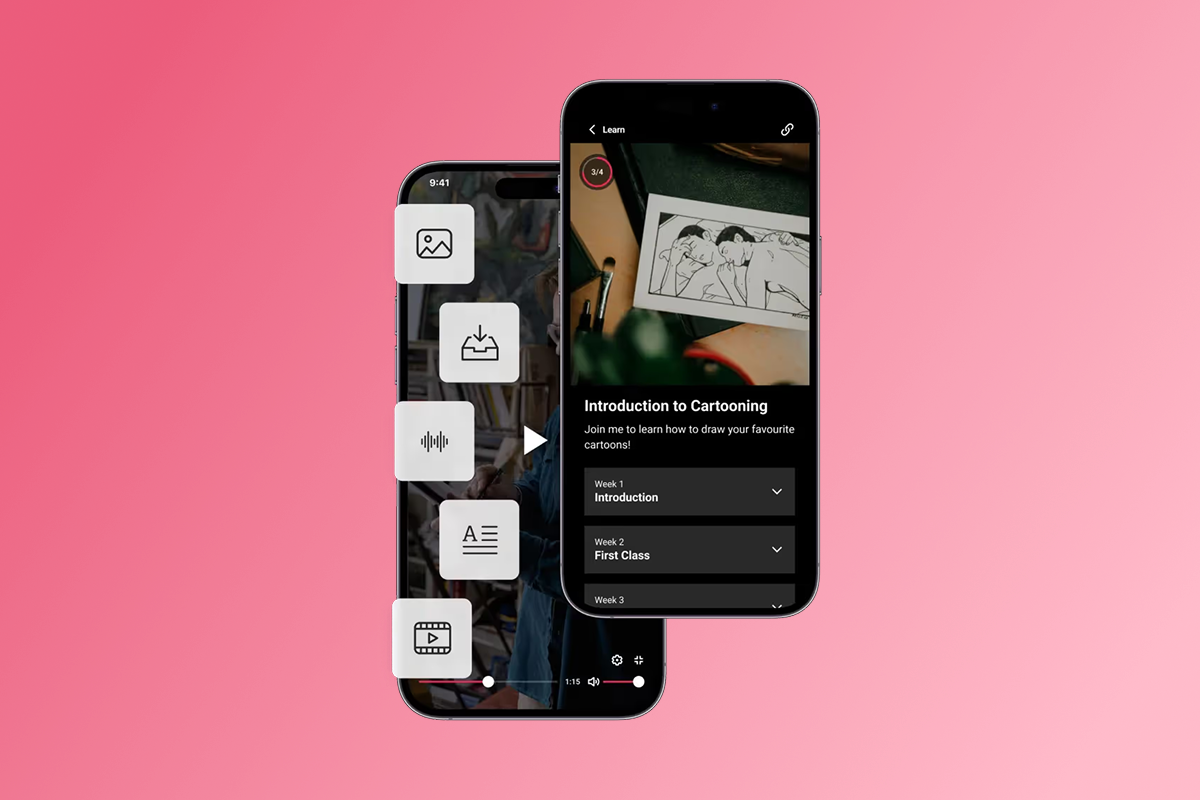
Upload and organize all lessons, videos, and resources within your Passion app. We recommend at least one week of substantive content with a minimum of five lessons, based on Passion's submission experience.
- Replace all template images, videos, and text
- Remove any "Lorem Ipsum" or placeholder content
- Ensure each lesson has a clear title, description, and working media
- Check that all PDFs, audio files, and interactive elements load correctly
Rejection pitfall: Apple will reject your app under Guideline 2.1 for App Completeness if you include empty sections or "coming soon" messages. Google enforces similar functionality policies.
2. Set up your community
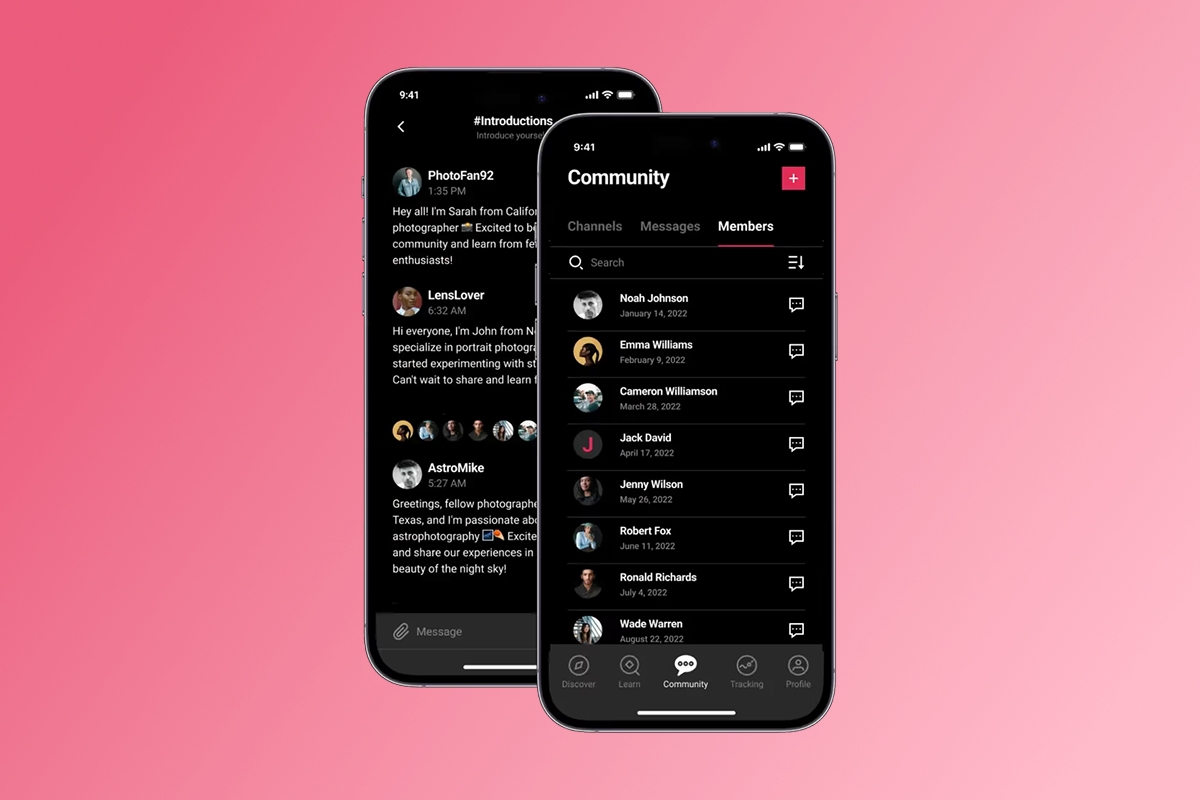
If your Passion app includes community features, activate and moderate channels before submission. Both Apple's Guideline 1.2 and Google's UGC policies require filtering, reporting, and blocking tools for user-generated content.
- Create community guidelines visible to all members
- Enable in-app reporting for offensive content
- Set up keyword filtering for common violations
- Test the blocking mechanism for abusive users
- Provide reviewer notes explaining your moderation strategy
Rejection pitfall: Submit without these moderation features and Apple and Google will reject your app immediately.
Configure your subscription tiers, one-time purchases, and payment pathways. Passion offers two routes: PassionPayments for web checkout (3.9% platform fee) or in-app purchases for mobile (Apple/Google retain 15-30%).
- Define clear pricing for each tier (monthly, annual, one-time)
- Set up PassionPayments for web or enable IAP for native purchases
- Test the entire purchase flow from selection to confirmation
- Write clear descriptions of what each purchase unlocks
Rejection pitfall: Apple and Google will immediately reject your app if you attempt to bypass their native payment systems for digital goods. Apple and Google will also reject your app if you display prices in screenshots or app summaries, as pricing must be dynamic and region-specific. Keep pricing details in your app's purchase flows only.
4. Test user experience
Verify navigation, content playback, and interactive elements across devices.
- Test on multiple physical devices (iPhone, iPad, Android phones, tablets)
- Check different iOS and Android versions
- Verify all buttons, menus, and navigation work smoothly
- Ensure videos stream without buffering issues
- Test login flows with demo accounts
Rejection pitfall: Apple and Google reject a significant percentage of apps for crashes, bugs, or poor performance. We've seen this repeatedly in Passion submissions, so test thoroughly before submitting.
5. Offline access
If you've enabled offline content in Passion, confirm it works correctly before submission. Download a lesson to your device while logged in, turn off Wi-Fi and cellular data, verify the lesson plays without errors, and check that offline sync updates properly when back online.
Rejection pitfall: Apple considers promising offline functionality in your metadata but failing to deliver it as misleading and grounds for rejection.
Section 2: Metadata and listing optimization
Your app's store presence must accurately reflect its functionality.
6. Craft your app name
Choose a unique, descriptive name under 30 characters for both platforms.
| Requirement | Apple | |
|---|---|---|
| Character limit | 30 | 30 |
| Subtitle/Short description | 30 chars | 80 chars |
| Restrictions | No keyword stuffing | More flexible keywords |
- Keep it memorable and brandable
- Avoid keyword stuffing or competitor names
- Check availability on both app stores
Rejection pitfall: Apple and Google will reject generic names like "Fitness Coach App" or names that imitate popular apps.
7. Write a compelling description
Highlight benefits and features in both short and long descriptions (4000 characters for both platforms).
- Open with your unique value proposition
- List 3-5 core features with benefits
- Include what makes your community special
- Avoid placeholder text like "best app ever" without specifics
- Remove any mentions of other platforms or "coming soon" features
Rejection pitfall: Apple reviewers will scrutinize descriptions for accuracy. Google's automated systems flag misleading or spammy content.
8. Design engaging screenshots and previews
| Requirement | Apple | |
|---|---|---|
| Minimum screenshots | 3 | 2 |
| Maximum screenshots | 10 per device | 8 per device |
| Device types | iPhone + iPad | Phone + Tablet |
| Video previews | App Preview (optional) | YouTube link (optional) |
- Show actual app screens (lesson view, community, profile)
- Use in-app screenshots only (no Android frames on iOS submissions)
- Avoid images that violate platform content policies, including overly promotional before/after comparisons or revealing fitness imagery
- Add short, descriptive captions to highlight features
Rejection pitfall: Apple requires screenshots that accurately show your app in action. Google enforces similar accuracy standards.
9. Select relevant categories and keywords
- For Apple, use the 100-character keyword field in App Store Connect
- For Google, naturally integrate keywords into your description
- Choose one primary category (e.g., Education, Health & Fitness)
- Add a secondary category if relevant
- Research competitor apps to identify high-value keywords
10. Prepare your privacy policy
Both platforms require a clear, accessible, and compliant privacy policy.
| Requirement | Apple | |
|---|---|---|
| Format | Any public URL | Must match app domain |
| In-app link | Required in app + listing | Required in app + listing |
| Disclosure | Privacy Nutrition Labels | Data Safety section |
| Compliance | ATT framework | Permission clarity |
- Host your policy at a public URL (e.g.,
https://yourappname.passion.io/privacy-policy) - Detail what user data you collect (email, payment info, analytics)
- Explain how data is used and shared
- Ensure compliance with GDPR and CCPA if applicable
Section 3: Technical and legal compliance
These final five points ensure your app meets platform-specific requirements.
11. Set up developer accounts
Register for the Apple Developer Program ($99/year) and Google Play Developer account ($25 one-time fee).
| Cost | Apple | |
|---|---|---|
| Registration fee | $99/year | $25 one-time |
| Review time | 90% in 24 hours | 1-7 days |
| IAP fee | 15-30% | 15-30% |
| Testing requirement | TestFlight optional | 20 testers for 14 days (personal accounts) |
- Complete all required business and tax information
- Accept the latest license agreements
- For Google personal accounts, enroll at least 20 testers for 14 days
12. Review app store guidelines
Read Apple's App Store Review Guidelines and Google's Developer Policy Center thoroughly. Review Section 1 (Safety) and Section 2 (Performance) for Apple. Check Google's Restricted Content and User Data policies. Flag any areas where your app might be borderline and prepare explanations for non-obvious features in reviewer notes.
13. Ensure payment compliance
For mobile purchases, use Apple/Google IAP exclusively. For web purchases, route to PassionPayments checkout. Display pricing and subscription terms clearly. Include auto-renewal information for subscriptions. Test all payment flows with sandbox accounts.
Rejection pitfall: Passion allows creators to sell high-ticket plans via web to avoid app store commissions, but you must use IAP for mobile digital goods.
14. Address security best practices
Recommend 2FA in your onboarding flow. Encourage strong passwords. Avoid storing sensitive data locally. Use secure HTTPS connections for all API calls. Include security tips in your app's help section.
15. Prepare for reviewer questions
Write detailed "Notes for Review" in App Store Connect and Google Play Console. Provide a working demo account with full access. Explain how to access premium content, live streams, or time-gated features. List any backend services that must be live during review. Include contact information for urgent questions.
Common app store rejection reasons and how to avoid them
Understanding frequent rejection triggers helps you submit a clean app the first time. We've seen these five issues cause the most delays for Passion creators:
| Rejection Reason | Common Trigger | How to Avoid |
|---|---|---|
| Incomplete information | Placeholder text, "coming soon" claims | Audit all metadata for accuracy before submission |
| Poor UX | Crashes, slow performance, confusing navigation | Test on multiple devices, follow platform UI guidelines |
| Payment issues | Bypassing IAP, unclear subscription terms | Use IAP for mobile purchases, display clear pricing |
| Security/privacy | Missing policy, unclear data collection | Link comprehensive privacy policy, request only essential permissions |
| Guideline violations | Copyrighted content, trademark infringement | Use only original content or secure proper licenses |
For detailed guideline references, review Apple's Guidelines 2.3.10 and 5.2 along with Google's IP policies for current enforcement standards.
What happens after submission?
Once you hit "Submit for Review," your app enters the approval pipeline.
Review times and status updates
- Apple: Apple reviews 90% of apps in 24 hours according to current platform data. Updates for existing Passion apps typically take 3-5 days, with an additional 24 hours to appear in the App Store.
- Google: Google reviews most apps in 24 hours to 7 days. Your app may take up to 10 days to appear in the store after approval.
Handling rejections and resubmissions
If Apple or Google rejects your app, carefully review the feedback. Both platforms provide specific reasons and reference relevant guidelines. Read the rejection notice in detail, identify the exact guideline violated, fix the issue in your Passion builder or metadata, update your "Notes for Review" explaining the fix, and resubmit. For technical issues, contact Passion support.
Launching your app and driving engagement
Once approved, announce your launch via email, social media, and push notifications. Set up a 7-day onboarding sequence with push nudges, monitor analytics for first-week completion rates, and respond to early user feedback quickly. Target +15-30% lesson completion in 90 days by using push notifications and challenges, as shown in our Passion case studies.
"Running an app as a computer illiterate creator isn't easy but passion makes it simple!" - Dana Martin on Trustpilot
Ready to launch your branded app?
App store submission doesn't have to be a black box. With this 15-point checklist and Passion's no-code builder, you can confidently prepare and submit your branded app.
Sign up for Passion to get started. On Expand and Plus plans, you'll get dedicated app store submission support.
Your content is ready. Your community is waiting. Get your web app live in weeks and your App Store submission underway by week 3-4 with Passion's no-code builder and our 15-point checklist.
FAQ:
How long does App Store approval take?
Apple’s reviews 90% of submissions within 24 hours. Google typically reviews apps in 1-7 days.
What are the costs for App Store submission?
Apple Developer Program costs $99/year and Google Play Developer account costs $25 one-time. PassionPayments charges 3.9% on web transactions while Apple/Google charge 15-30% on IAP.
Can I update my app after it's live?
Yes, submit updates through App Store Connect or Google Play Console. Apple reviews updates in 3-5 days and Google in 1-3 days.
What if my app is rejected?
Read the rejection notice, fix the identified issues, update your reviewer notes, and resubmit. Passion support helps troubleshoot technical rejections on Expand/Plus plans.
Do I need a privacy policy?
Yes, both platforms require a public privacy policy for most apps. Host it at yourappname.passion.io/privacy-policy and link from your app and store listing.
Key terms glossary
App Store Optimization (ASO): The process of improving app visibility and conversion rates within app stores through optimized titles, descriptions, keywords, and screenshots.
In-App Purchase (IAP): Digital content or subscriptions purchased from within a mobile app using Apple or Google's native payment systems. Platforms retain 15-30% of revenue.
Push Notifications: Messages sent directly to a user's mobile device from an app, even when the app is not open. Used to drive engagement and completion.
Developer Account: A required account with Apple ($99/year) or Google ($25 one-time) to publish apps on their respective stores.
PassionPayments: Passion's web checkout system for selling courses and subscriptions. Charges a 3.9% platform fee (plus Stripe fees) to bypass IAP fees on high-ticket offers.

Build the business
behind what you know.
Turn your expertise into a branded app with courses, community, and the You AI Coach. Launch plan from $99/month.