


How to Launch Your Branded Coaching App in 30 Days (Without a Developer)
Updated March 27, 2026
You can launch a branded coaching app in 30 days using a no-code builder like Passion.io. Plans run $99–$599/month on annual billing, plus $99/year for the Apple Developer Program and a $25 one-time fee for Google Play Console. Your web app goes live in weeks 1–2, app store submissions go in by week 3–4, and reviews typically clear in 1–3 days (allow a 1–2 week buffer). Target a 15–30% increase in course completion within 90 days using push notifications and weekly challenges. PassionPayments web checkout costs 3.9% plus Stripe fees, while Apple and Google in-app purchases cost 15–30%.
Most online coaches obsess over posting schedules and social media reach while their paying clients abandon courses, forget login links, and drift away. The real problem is not content quality or marketing. It is a scattered tool stack that makes your business feel unreliable and blocks you from owning the relationship with your audience.
Building a custom app used to cost $30,000 or more and take three to six months of developer time. Today, no-code app builders let you consolidate your content, community, and payments into one branded platform in under a month. This guide breaks down the exact 30-day timeline, costs, and steps to get your app live on iOS, Android, and the web, without writing a single line of code.
Why online coaches are moving from scattered tools to branded apps
Many online coaches run their businesses across multiple separate tools: Instagram DMs for client questions, a Facebook group for community, Zoom for sessions, Stripe links for payment collection, a separate LMS for course delivery, and an email tool for reminders. Each tool works in isolation, and none of them talks to the others reliably.
This creates predictable friction. Launch weeks often bring support requests about login access and payment issues. Over time, completion rates tend to drop, engagement fades, and communities fragment when members struggle to find them on mobile. Revenue often becomes dependent on the next launch rather than on the audience you already built.
A branded app changes this dynamic by giving your clients one place to access everything. Our platform features include native push notifications, an in-app community, offline lesson downloads, and flexible subscriptions, all inside an app with your logo and colors on it. Creators using push notifications and in-app challenges report 15-30% completion rate increases within 90 days, and shifting from launch-dependent cash flow to monthly recurring revenue is a common transformation we see.
Fitness coaches, aerial arts instructors, business coaches, and mindset educators have all used this model. Savannah Bohlin grew to 250 subscribers at $22/month through her branded app, generating $66,000 in annual recurring revenue. This shows what happens when you send your audience to one place instead of multiple scattered platforms.
"Setting up my coaching app on Passion.io has been one of the easiest and most intuitive processes I've experienced... Everything is housed in one place, content, communication, client access, design, and it's all optimized to save time while delivering a high-quality user experience." - Everchanging Butterfly on Trustpilot
The hidden costs of custom app development versus no-code builders
Custom development for a coaching app typically starts at $30,000 for a basic build and climbs to $72,000 or more for apps with community features, payment flows, and integrations, with timelines running three to six months. Beyond launch, ongoing maintenance during the first year typically costs 50% of the initial build price, followed by 15-20% annually thereafter.
No-code removes this barrier entirely. The table below compares your all-in first-year costs:
| Item | No-code (Passion.io Launch, annual) | Custom development |
|---|---|---|
| Platform/build cost | $1,188/year ($99/month) | $30,000–$72,000+ upfront |
| Apple Developer Program | $99/year | $99/year |
| Google Play (one-time) | $25 | $25 |
| Year-1 maintenance | Included | $6,000–$36,000+ |
| Estimated Year-1 total | ~$1,312+ | $36,000–$108,000+ |
The tradeoff is real: custom development gives you unlimited flexibility. But for coaches with content ready and an audience waiting, the multi-month timeline and six-figure price tag are a non-starter. No-code gets your app live in weeks at a predictable monthly cost, with our pricing starting at $99/month on the annual Launch plan and scaling to $599/month on Expand.
The 30-day timeline to build and launch your coaching app
The 30-day target assumes your core content is ready or nearly ready. If you are still producing your first course, add two to three weeks before starting this plan. For coaches with videos, PDFs, and a clear offer structure already in place, four weeks is achievable based on creator launch timelines we see regularly.
Week 1: Consolidate your content and map the user journey
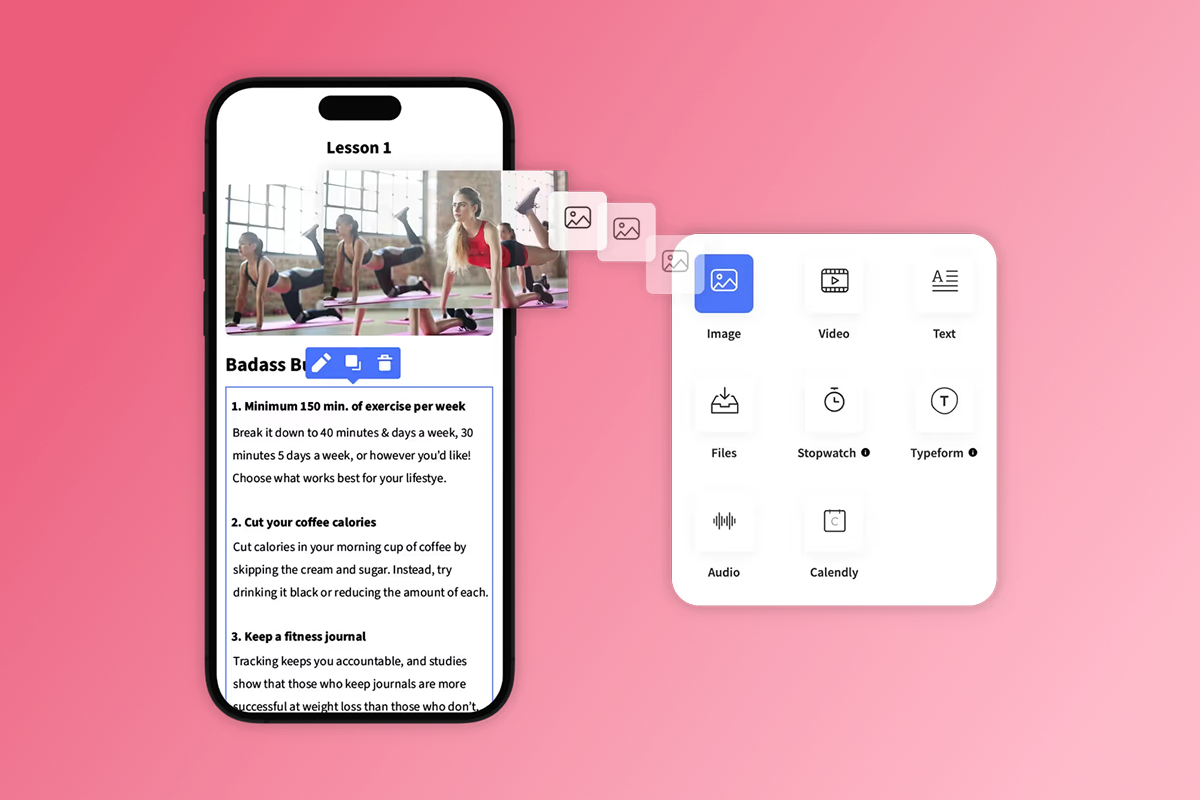
Start by gathering every asset your app will need: video lessons, audio files, PDFs, text content, and any interactive elements. Organize these into a module and lesson structure before you touch the builder. We support video, audio, PDFs, text, images, quizzes, drip schedules, and offline downloads via the course builder. For branding assets, prepare your logo, brand colors, and fonts. Your app icon needs to be 1024x1024 pixels for Apple and 512x512 pixels for Google Play.
Map the user journey from three angles:
- How does a new member sign up and reach their first lesson?
- Where does your community live and how does it connect to course content?
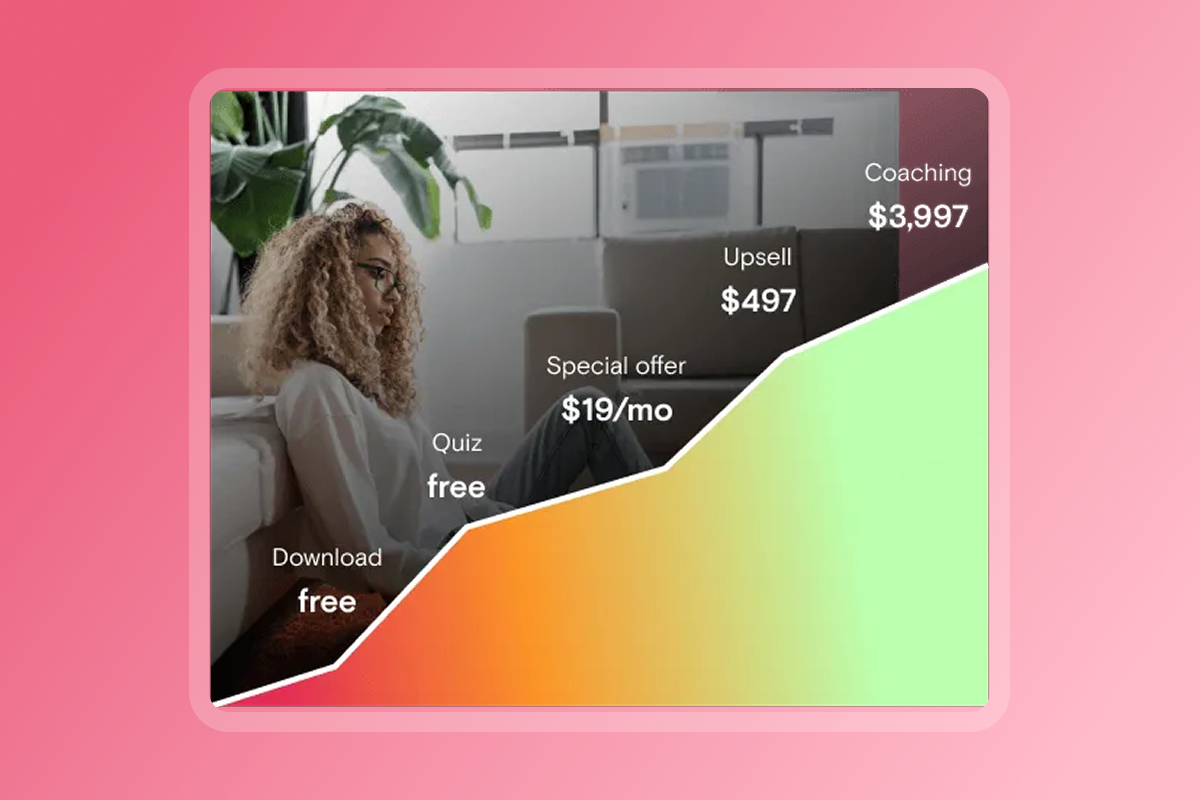
- What is the upsell path from a free or low-ticket entry into a higher-tier subscription?
Our help doc on pre-submission app readiness walks through each requirement step by step, and our video on onboarding users effectively covers first-week member experience best practices.
Week 2: Design your app and set up monetization models
By day eight, lock your content structure, then focus on branding and pricing. Upload your app icon, select your color palette and font, and customize your home screen layout inside the builder.
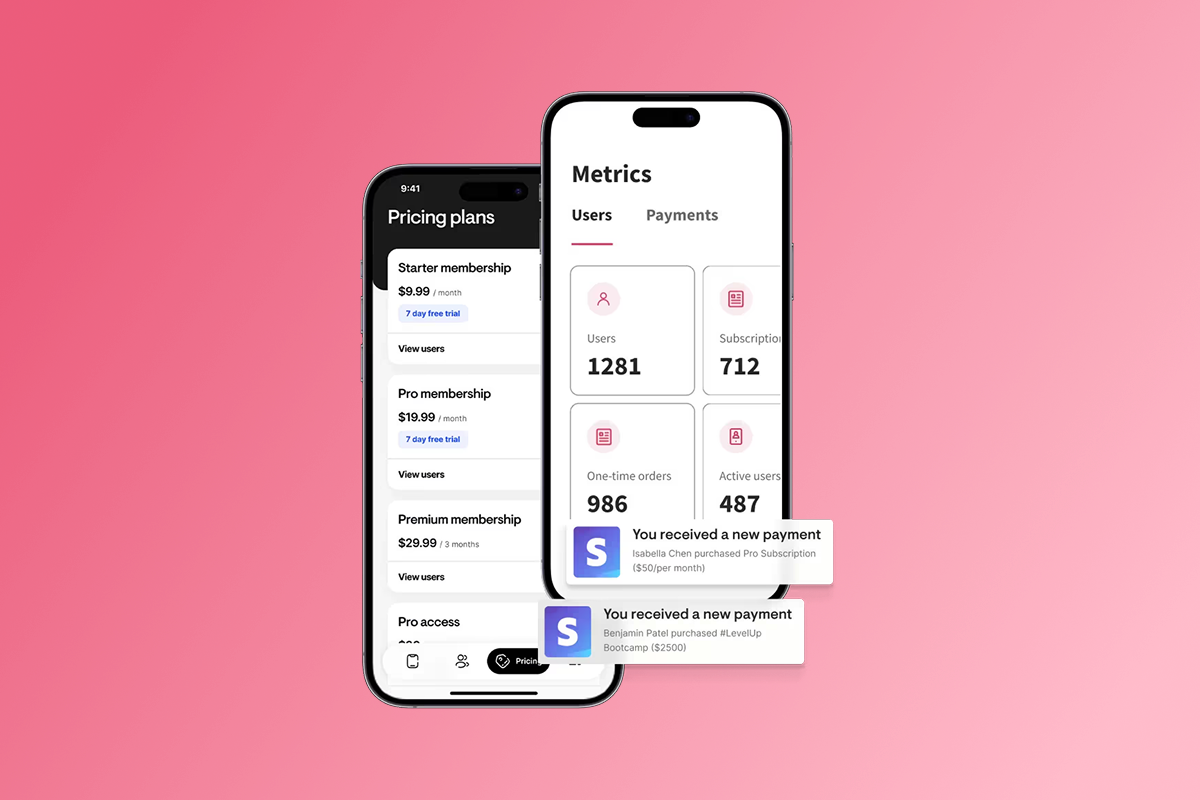
For monetization, we support monthly subscriptions, annual subscriptions, one-time purchases, freemium access, and bundled offers via our app monetization features. Choosing the right payment path directly affects your margins:
- PassionPayments (web checkout): Charges a 3.9% platform fee plus Stripe's standard ~2.9% and $0.30 per transaction. Total effective cost: approximately 6.8% plus $0.30. Use this for core subscriptions and higher-ticket bundles where margin matters.
- In-App Purchases (IAP): Apple and Google retain 15-30% of each transaction depending on annual revenue and subscription tenure. Apple's Small Business Program reduces this to 15% for developers earning $1 million or less in annual net proceeds. We add no platform fee on top of IAP. Use IAP for mobile convenience upsells where one-tap purchase justifies the higher platform cut.
- External checkouts: Route buyers through a payment system outside PassionPayments and we charge 0% in platform fees, though your payment processor's fees still apply.
Watch our video on mastering sales funnels and the guide on automations for app revenue to structure your offer ladder effectively. Note that the Launch plan supports up to 250 users and 3 products, so if you are migrating an existing audience larger than that, plan to start on Scale or Expand.
Week 3: Prepare app store assets and developer accounts
Open both developer accounts in week three, not week four. Apple's identity verification typically takes 1-5 business days and can extend up to two weeks if Apple requests additional documentation. Starting early gives you a buffer.
Apple Developer Program: Costs $99/year. You need this account to use TestFlight for external beta testing and to submit to the App Store. With a free Apple Account you can test on your own device using Xcode, but you cannot invite external testers or submit for review. Set up your account using our guide on setting up an Apple Developer account.
Google Play Console: Costs $25 one-time. Register at Google Play Console. Reviews on Google Play typically process within one to three days.
For app store assets, prepare the following:
- iOS screenshots: 1290x2796 pixels (6.7-inch iPhone) and 1320x2868 pixels (iPhone 16 Pro Max). Upload up to 10 per device type, with the first three appearing in search results.
- Android screenshots: 1080x1920 pixels for phones, plus a feature graphic at 1024x500 pixels.
- App description: Write a clear, keyword-rich description. Our help center covers ASO keyword tools to identify terms your audience searches for.
- Privacy policy URL: Required by both stores. Confirm the link is live before submission.
We have a dedicated guide on iOS app submission preparation covering each asset requirement in detail. The tutorial on designing your app assets in Canva is worth watching if you are creating screenshots yourself.
Week 4: Submit to app stores and plan your launch
Submit to Google Play first because it typically processes within one to three days. Submit to Apple in the same window since review times average one to three days but can extend to one to two weeks if Apple requests clarifications. Build a 1-2 week buffer into your announcement schedule so your marketing launch does not happen before your app is approved.
On the Expand and Plus plans, we include app store submission support, meaning our team guides you through the process or handles it directly. On Launch and Scale, you manage submissions yourself using our step-by-step documentation. Read our guide on handling Apple review emails before you submit, and bookmark the article on when resubmission is required because not every update triggers a full review.
For your launch sequence, prepare a 7-day push notification plan to onboard existing clients, an email to your list with a direct download link, and a founding-member offer (a 10-20% discount or bonus content for first joiners). Our help doc on 8 tips for program launch covers the mechanics of a structured app launch.
How to handle app store submissions and avoid common delays
You can fix most rejections in one to five days if you know what to look for. Common issues include:
- Broken links or incomplete metadata: Ensure all URLs in your description and privacy policy work. Fix and resubmit within one to three days.
- Misleading screenshots: Screenshots must reflect actual app functionality. Remove unverifiable claims from images. Resolution takes two to five days.
- Privacy policy problems: The link must be live and compliant with Apple and Google requirements. Fix and resubmit within two to three days.
- UI defects or broken flows: Test login, purchase, and community flows before submission. Significant fixes can take five to seven days.
If Apple sends a review guidelines email, do not panic. Our guide on handling Apple review emails gives you a step-by-step response template.
Apple and Google developer program fees explained
Developer fees break down simply. Apple charges $99/year for the Apple Developer Program. Google charges a $25 one-time registration fee for Google Play Console. Apple's fee renews annually, so budget $99 every year. Your total first-year developer cost is $124, a fixed expense completely separate from Passion.io's platform fee.
Testing your iOS app before submission
With a free Apple Account, you can test your app on your own device using Xcode and simulate in-app purchases in a sandbox environment without a paid account. However, you cannot invite external testers via TestFlight without the $99/year Apple Developer Program enrollment. Plan to enroll in week three, not on submission day, because Apple's identity verification typically takes 1-5 business days and can run up to two weeks if Apple requests documentation follow-up.
The 90-day success plan for your new branded app
Your app going live is the starting point, not the finish line.
Days 1-30 (onboarding): Migrate your existing audience with a welcome push sequence (three to four pushes per week). Offer a founding-member incentive. Consider targeting 25-50% of current paying members to onboard in the first month.
Days 31-60 (engagement): Launch a weekly in-app challenge with gamified checkpoints. Introduce a second pricing tier and upsell 10-15% of current users. Aim for a 15-20% weekly active user rate.
Days 61-90 (retention): Optimize lessons with low completion rates. Launch a referral program. Segment users by engagement and run a retention push sequence for members who have gone quiet. Aim for a 15-30% completion lift vs. your pre-app baseline and 10-20% MRR growth vs. day one.
These are targets based on creator outcomes in our case studies, not guarantees. Your results depend on content quality, niche, and how consistently you run the push and challenge cadences.
According to Passion.io case studies, Calxthenics, a calisthenics training app, reportedly reached over 10,000 downloads and generated $50,000+ monthly revenue within its first few months through structured content, push notifications, and in-app community. Our video on app launch secrets for creators is worth watching before you plan your 90-day sequence.
Post-launch marketing and user acquisition
Once your app is live, share your branded app download link across every channel you already use. Point your email list, social bio, and existing Facebook group toward the app as the new home base for your community.
Run a 7-day push launch sequence: day one introduces the app, day three highlights a key content module, day five invites members to the community, and day seven promotes your founding-member offer. If you have clients in a Facebook group, sunset it gradually. Announce the move two to three weeks in advance, migrate active discussions into your in-app community, and keep the Facebook group read-only for 30 days before closing it.
Comparing the best no-code app builders for coaches in 2026
| Feature | Passion.io | Kajabi | Uscreen |
|---|---|---|---|
| Native branded iOS/Android app | Yes (all plans) | No (Kajabi-branded container) | Yes (OTT / white-label video) |
| Push notifications | Native push | Limited / web-only | Native push |
| Offline content | Yes | No | Yes |
| In-app community | Built-in (all plans) | Limited | Built-in |
| Base pricing (annual) | $99/month (Launch) | ~$143/month (Basic) | ~$149/month (Growth) |
| Mobile-first design | Yes | No (web-first) | Video-first / OTT |
| Built-in training / playbooks | Yes (included) | No | No |
| App store submission support | Expand and Plus plans | Not available | Available |
Kajabi and Thinkific are solid web-first platforms with strong email marketing and funnel tools. Their weakness is native mobile engagement. Without true push notifications and an app your clients download under your brand name, you remain dependent on email open rates and social reminders to drive logins. Uscreen excels at video-on-demand and OTT streaming but focuses on video delivery rather than the broader coaching use cases of community, challenges, and multi-format courses.
If you want a fully branded mobile app with native push, in-app community, and built-in go-to-market training, we offer the most direct path for coaches. On security basics: use a strong, unique password and enable two-factor authentication (2FA) on your account, your Apple Developer account, and your Stripe account. This represents good security hygiene for any platform where client data and payment credentials are involved.
"We feel that every penny... was well invested from creation to launch... Any and all app updates are handled by Connor's team, and everyone I have been in contact with has been extremely responsive and pleasant to work with." - Angie on Trustpilot
"I have really enjoyed creating my passion app over the past year and half. I would not have been able to make my idea for an app come to life without the platform passion provides." - FitWithBrit on Trustpilot
Our community Q&A with the team is a good resource if you want unscripted answers to platform questions that come up most often.
Download our 30-day app launch checklist to track every step from content migration through app store approval. If you are ready to start building, we offer a 30-day money-back guarantee. There is no free trial, but the guarantee gives you a full month to build and test your app before committing. For Scale, Expand, or Plus, you can book a demo to walk through your specific niche and content structure. Consolidate your tools, own your audience, and launch in 30 days.
Frequently asked questions
How long does Apple app review take?
Most reviews clear in one to three days. Build a one-to-two-week buffer into your launch timeline to account for clarification requests, which can extend the process.
What are the fees for web checkout versus in-app purchases?
Web checkout via PassionPayments charges a 3.9% platform fee plus Stripe's standard ~2.9% and $0.30 per transaction. Apple/Google in-app purchases cost 15-30% of each transaction with no additional Passion.io fee on top.
Which Passion.io plan includes app store submission support?
App store submission support is included on the Expand plan ($599/month annual) and the Plus plan (custom pricing). Launch and Scale plans include step-by-step documentation and require you to manage submissions yourself.
Can I migrate my existing members from a Facebook group or other platform?
Yes. Invite existing members via email using your app's branded share link and run a dedicated onboarding push sequence to move them across. Plan for a 30-day transition period to give your audience time to adjust.
Do clients need to pay through the app on their phone?
No. You can direct clients to your web checkout via PassionPayments for lower fees. In-app purchases are available for mobile convenience but are not required on any plan.
Can I build a coaching app without coding experience?
Yes. Our drag-and-drop builder requires no code, and most coaches publish their web app within two weeks of starting. App store submissions typically follow in weeks three to four.
What is the minimum plan to remove Passion.io branding from my app?
Scale plan and above remove Passion.io branding from your app. Check the current pricing page for the latest details on what each plan includes.
Key terminology
In-App Purchases (IAP): Purchases completed inside a native iOS or Android app using Apple App Store or Google Play payment systems. Apple and Google retain 15-30% of each transaction depending on revenue thresholds and subscription age, with no additional fee added by Passion.io.
PassionPayments: Our native web checkout system powered by Stripe. It includes a 3.9% platform fee on each transaction plus Stripe's standard processing fees, making it the better-margin option for core subscriptions routed outside the Apple or Google payment systems.
Push notifications: Direct messages sent from your app to a member's phone lock screen or notification tray, regardless of whether the app is open. Push notifications drive higher re-engagement than email reminders for mobile-first audiences and are available on all Passion.io plans, with unlimited pushes on the Expand plan.