


The Yoga App Launch Blueprint: 30-Day Go-Live Checklist & Timeline
Updated March 17, 2026
You can launch a fully branded yoga app with courses, push notifications, and subscriptions in 30 days using a no-code builder. Days 1-7: organize and upload your content and branding. Days 8-14: set up web checkout (PassionPayments at 3.9% + Stripe) or In-App Purchases (Apple/Google at 15-30%). Days 15-21: open your Apple Developer account ($99/year) and Google Play account ($25 one-time) and submit your app. Days 22-30: run pre-launch marketing and onboard your first paying students. Plan needed: Launch ($99/month annual) through Expand ($599/month annual), depending on whether you want managed app store submission support.
Some creators report a 15 to 30% increase in course completion within 90 days of moving their yoga content to a native mobile app (Passion.io creator case studies). Most yoga instructors obsess over recording the perfect flow while ignoring the high churn rates caused by scattered links and web-only course platforms. Your students join your Facebook group, click a link-in-bio, log into a generic course portal, and check email for class reminders. Every extra step bleeds engagement and completion.
If you have recorded content and tool sprawl blocking your growth, this playbook is for you. It covers the exact 30-day timeline to build, price, and submit your branded app to the Apple and Google stores so you can stop relying on social media algorithms and start building predictable recurring revenue.
Why yoga instructors need a branded mobile app
Owning your audience is the difference between a stable subscription business and one that resets every time an algorithm shifts. When your content lives on rented platforms, a single policy update can cut your reach overnight and take your revenue with it.
A native mobile app changes that equation in three specific ways. First, push notifications bring students back to your content without depending on email open rates or social feeds. Creators report completion rate increases of 15-30% within 90 days when adding push notifications and weekly challenges to their apps (Passion.io creator case studies, 2025). Second, your app lives on your students' home screens, giving you daily visibility that no Instagram post replicates. Third, offline access means students finish your flows on a plane, at the gym, or anywhere without internet, and Passion.io supports offline lesson downloads out of the box.
Real creators have shown this works at scale. Savannah Bohlin's "The Portal" holistic health and fitness app earns $66,000 per year with over 250 subscribers paying $22.22 per month, and Ellen Decker's "Fit in Twenty" app generates over $2,400 per month in passive income with around 60 subscribers (Passion.io creator examples, 2025). These outcomes result from owning the channel, not renting it.
The 30-day yoga app launch timeline
The plan below treats Day 30 as your web app go-live date, with app store submissions underway by Week 3. Apple reviews 90% of submissions within 24 hours (App Store review timelines, 2025), and Google typically completes reviews in a few hours to a few days, though health and fitness apps can take up to seven days. Build a one-to-two week buffer into your store submission timeline and use your web app to start generating revenue while store reviews proceed. Review the full 127-step app launch checklist alongside this guide for a more granular pre-launch task list.
Week 1 (Days 1-7): Content prep and app customization
The goal for Week 1 is a complete app skeleton: all core content uploaded, your brand applied, and your onboarding flow working. "Done" means a friend can open your web app, log in, and complete Lesson 1 without needing a support question answered.
- Map your course structure into modules (e.g., Foundations, Intermediate Flow, Advanced Sequences) and select your core lessons for launch.
- Prepare supplementary files including PDFs and practice guides in a single folder ready for upload.
- Upload your content using Passion.io's drag-and-drop app builder, which supports video, audio, and PDF files.
- Apply your branding by uploading your logo, selecting your color palette, and customizing your splash screen.
- Configure your navigation so students can find courses, community, and profile screens in two taps or fewer.
- Create a welcome sequence with an onboarding video, a community introduction post, and your first push notification message draft.
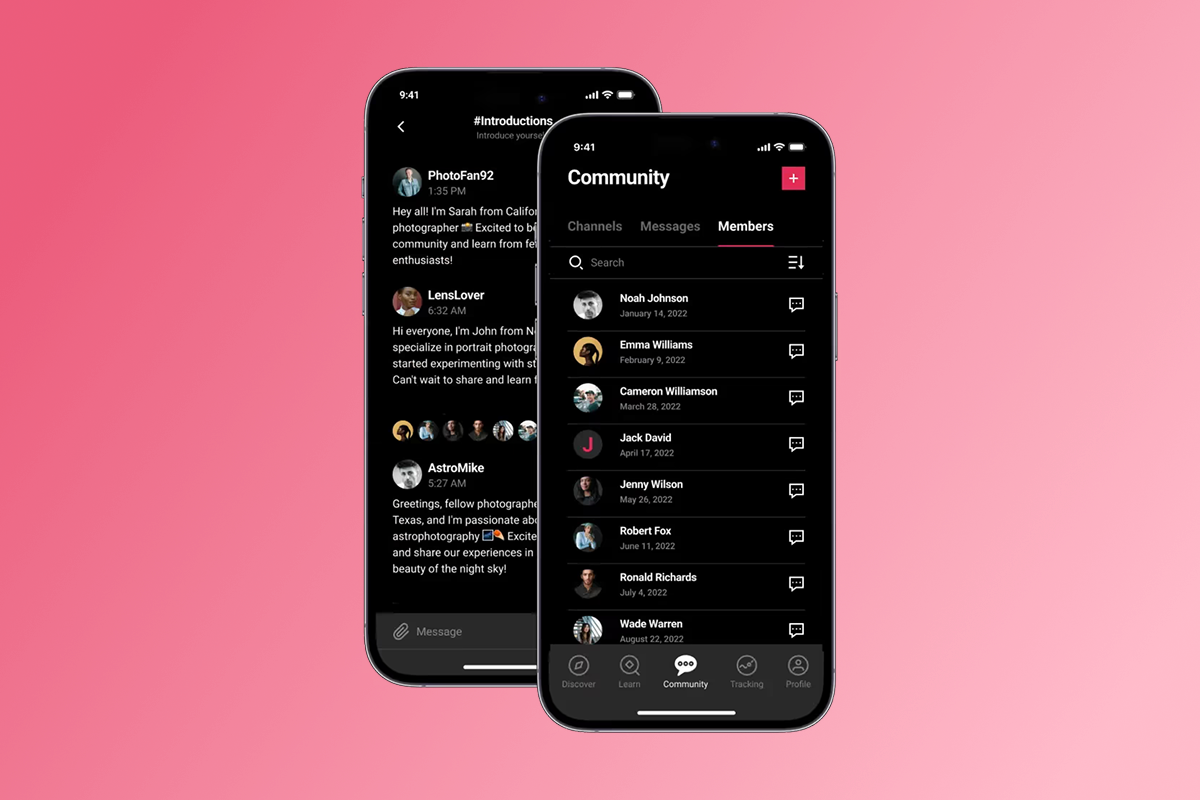
- Build your community channels for Q&A and student check-ins, using the 7-day community activation framework to reduce early drop-off.
- Register your developer accounts this week. Setting up your Apple Developer account ($99 per year, confirmed at Apple Developer Program) and your Google Play Console account ($25 one-time fee) takes 1-4 weeks depending on identity verification, so start the process now rather than in Week 3.
"I have really enjoyed creating my passion app over the past year and half. I would not have been able to make my idea for an app come to life without the platform passion provides. The passion support team has also been extremely helpful." - FitWithBrit on Trustpilot
Week 2 (Days 8-14): Payment setup and monetization strategy
The goal for Week 2 is a working payment flow on both web and mobile. "Done" means you have completed a test purchase on web checkout and confirmed your in-app purchase tier is configured and matching across both developer accounts.
Your two fee paths affect your margins directly, so choose deliberately before you configure pricing.
| Fee comparison | Payment method | Platform fee | Processing fee | Creator keeps |
|---|---|---|---|---|
| PassionPayments (web) | Web checkout | 3.9% | ~2.9% + $0.30 (Stripe) | ~93% |
| Apple IAP (under $1M/year) | In-app purchase | 15% | Included | 85% |
| Apple IAP (over $1M/year) | In-app purchase | 30% | Included | 70% |
| Google IAP (under $1M/year) | In-app purchase | 15% | Included | 85% |
| Google IAP (over $1M/year) | In-app purchase | 30% | Included | 70% |
Payment setup steps (Days 8-14)
- Connect your Stripe account to activate PassionPayments web checkout at the 3.9% platform fee plus Stripe's standard processing rate.
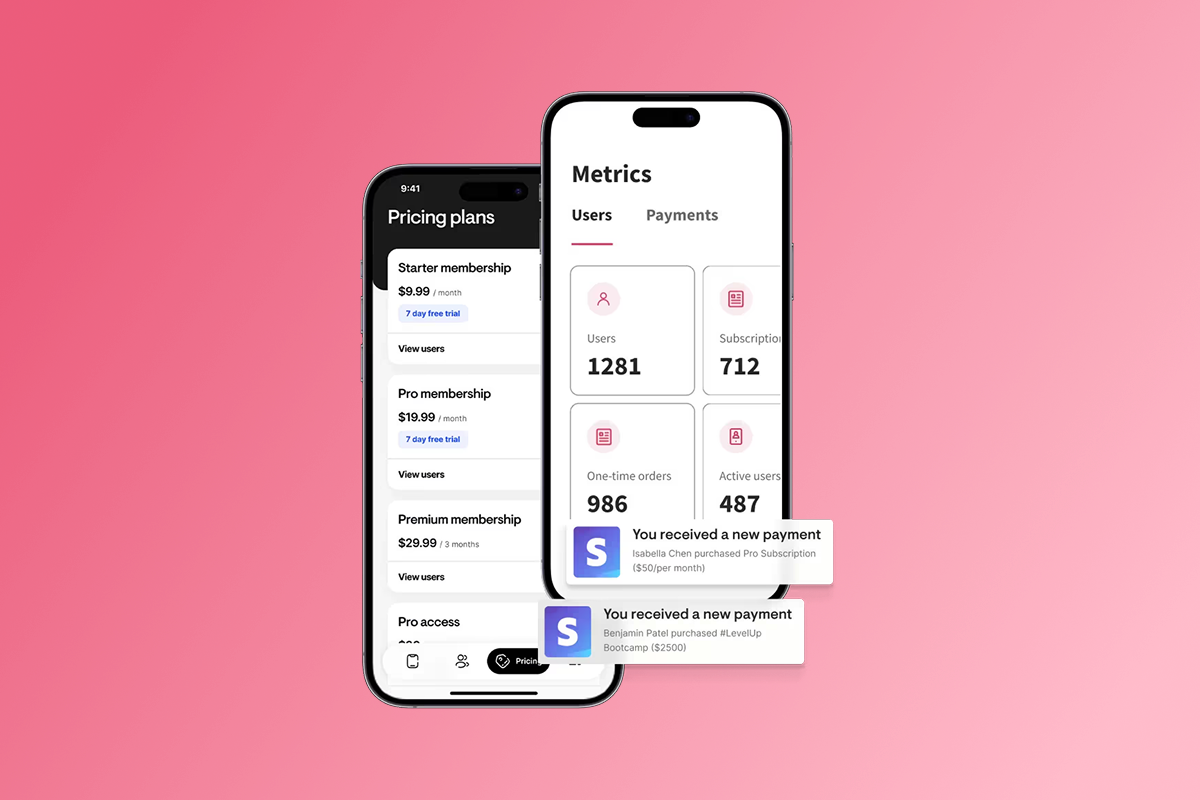
- Create your pricing tiers. A practical yoga subscription structure includes a monthly plan (e.g., $29-$49/month) and an annual plan at a 15-20% discount to reward commitment, plus an optional one-time course purchase for students who prefer not to subscribe.
- Mirror your web pricing in your Apple and Google developer accounts so students who discover your app in the stores have matching purchase options available.
- Test every payment path with a real transaction on web checkout and a sandbox confirmation on both developer accounts. Fix any errors before Week 3 so no revenue is blocked on launch day.
Think of IAP as a toll road: fast and familiar for mobile buyers, but it costs more per sale. If your yoga membership is $39/month and sold via Apple IAP, Apple keeps $5.85 under the Small Business Program (15%). The same sale through PassionPayments web checkout costs approximately $1.52 in platform fees plus Stripe's cut. For annual plans and bundles, routing buyers through web checkout protects your margin meaningfully. Review the full in-app purchases fees and setup guide for detailed configuration steps.
Week 3 (Days 15-21): App store submission and review
The goal for Week 3 is two submitted apps. "Done" means your Apple and Google submissions are in review and your web app is live for your first beta students. Before submitting, work through the Passion.io pre-submission checklist and iOS submission preparation guide to catch the most common rejection triggers. One creator's experience highlights why building in extra time matters, especially for Google Play:
"Passion does a great job with supporting their clients to succeed, even after purchasing their product... the actual process of getting your app approved by the Google Play Store in particular is a lot more challenging than Passion makes it sound." - Jesse Wiens Chu on Trustpilot
Prepare your store assets (Days 15-17)
- Create your app screenshots. Apple requires at minimum one iPhone screenshot at 1320 x 2868 pixels (6.9" display) and one iPad screenshot at 2048 x 2732 pixels (13" display) in PNG or JPEG format, per the App Store screenshot specifications. You can submit up to 10 per device size per the Apple screenshot upload documentation. Show active yoga flows and community screens rather than a login page.
- Write your app name and descriptions, naturally including terms like "yoga instructor," "online yoga classes," and "yoga subscription" so students can find you through search in both stores.
- Prepare your app icon in all required sizes and include your privacy policy URL, which both Apple and Google require.
Submit (Days 18-20)
- Submit to Apple App Store. Apple reviews 90% of submissions within 24 hours, with the remaining 10% within 48 hours (App Store approval timelines, 2025). If Apple requests changes to screenshots or metadata, correct the specific issue and resubmit. Review the Apple review process guide to understand exactly what reviewers check.
- Submit to Google Play. Google's review typically completes in a few hours to a few days, but health and fitness apps require a Health and Fitness Apps Declaration before submission. Complete the Google Health and Fitness Apps Declaration guide before you submit to avoid delays.
- Go live on web. Your Progressive Web App is accessible via browser immediately, independent of store approvals. Start onboarding your first beta students here and begin generating revenue while your store listings are in review.
If Apple sends a review guidelines email, follow the Apple review guidelines response guide to address the specific issue and resubmit.
Week 4 (Days 22-30): Pre-launch marketing and community building
The goal for Week 4 is to have paying students on launch day. "Done" means your email sequence is live, push notifications are scheduled, community posts are seeded, and your public launch announcement is confirmed.
Days 22-26: Pre-launch preparation
- Build your email waitlist by announcing across Instagram, email, and Facebook that your app is launching soon. Offer early-bird access or a discounted first-month rate to your most engaged followers.
- Write and schedule 10 push notifications for the first two weeks post-launch, covering welcome messages, content reminders, challenge prompts, and community check-ins. For push cadence guidance, review push notifications for community engagement 2026.
- Pre-populate your community with three to five posts: an introduction from you, a student check-in prompt, and a challenge teaser.
- Record a short app tour video showing your course library, community screen, and one lesson preview for Instagram Reels and YouTube Shorts.
Days 27-30: Launch execution
- Send your launch email to your full list with a direct link to your web app and app store listings. Keep the message short: what the app is, what it costs, and how to get in.
- Post your app tour video across all channels on the same day as your email so both audiences experience the launch simultaneously.
- Track your first subscribers as your primary Day 1 metric, confirming both web checkout and any available IAP links are processing without errors.
Cost breakdown: No-code builder vs custom development
Custom development gives you total control over every feature. It also costs $70,000 to $150,000+ for an initial build, with annual maintenance running 15-20% of that original cost (no-code vs custom dev costs). For most yoga instructors, that is six to twelve months of revenue reinvested before a single student downloads the app.
| Fee comparison | Payment method | Platform fee | Processing fee | Creator keeps |
|---|---|---|---|---|
| PassionPayments (web) | Web checkout | 3.9% | ~2.9% + $0.30 (Stripe) | ~93% |
| Apple IAP (under $1M/year) | In-app purchase | 15% | Included | 85% |
| Apple IAP (over $1M/year) | In-app purchase | 30% | Included | 70% |
| Google IAP (under $1M/year) | In-app purchase | 15% | Included | 85% |
| Google IAP (over $1M/year) | In-app purchase | 30% | Included | 70% |
Passion.io plans run $99/month on Launch, $239/month on Scale, and $599/month on Expand (all on annual billing). The Plus plan for white-glove managed service is scope-dependent at $10,000-$20,000. App store submission support is included on Expand and Plus plans. On Launch or Scale, Passion.io provides step-by-step submission documentation and community support to guide you through the process independently.
Post-launch strategies for engagement and retention
Your app going live in the stores is Day 1, not the finish line. The gap between a launch spike and steady monthly recurring revenue comes down to two habits: a consistent push cadence and structured in-app challenges.
Push notifications are your most direct engagement tool because they meet students where they already are - on their phones. Start with a consistent weekly cadence pointing students to new content, upcoming classes, or community participation. Monitor your opt-out rate and adjust frequency based on what you observe in your analytics.
Challenges give students a clear reason to open your app every day for an entire month. A 30-day in-app challenge with daily prompts, a community accountability thread, and a completion acknowledgement can help build the completion habit that keeps subscribers active. According to creator case studies, combining push with structured challenges has reportedly led to completion rate increases of 15-30% within 90 days (Passion.io case studies, 2025). For a sustainable publishing system to support ongoing engagement, review the content strategy for paid community apps and the guide to cut community churn below 5%.
How Passion.io simplifies your app launch
We handle the technical infrastructure of your app so you focus on content and coaching. Our no-code builder supports video, audio, PDFs, and in-app community features without requiring a single line of code. You can manage your entire app - including content uploads, push scheduling, and community moderation - from your phone. The Welcome to Your Passion App video gives you a full walkthrough of the builder before you start building.
App store submissions are built into the platform, which means Passion.io generates the required app packages for Apple and Google directly from your branded content. PassionPayments processes web checkout through Stripe, and you can enable IAP to give mobile students a one-tap purchase path. Before you launch, the 9 app launch mistakes guide documents the most common errors so you avoid them before they cost you time and momentum.
"Build an app with ease, adequate support and in a short amount of time! Our support team has been so helpful and personable from day one." - Angie on Trustpilot
Start your 14-day free trial of Passion.io with a 30-day money-back guarantee. If you want managed launch support with app store submission handled for you, the Expand or Plus plan includes dedicated account management and submission assistance.
Frequently asked questions
How long does it actually take to launch a yoga app?
Your web app can go live in 2-3 weeks after your content is uploaded and branding is applied. App store listings typically appear 1-7 days after submission, but build a 1-2 week buffer for any review back-and-forth, particularly on Google Play for health and fitness apps. Note that Apple Developer account verification can itself take 1-4 weeks, so register in Week 1.
What is the cheapest way to launch a yoga app?
The Passion.io Launch plan runs $99/month on annual billing ($1,188/year), plus $99 for your Apple Developer account and a one-time $25 for Google Play. Your first-year platform cost comes to approximately $1,312, compared to $70,000-$150,000+ for custom development before maintenance (pricing breakdown).
What is the difference between web checkout and In-App Purchases?
Web checkout via PassionPayments charges a 3.9% platform fee plus Stripe's rate (approximately 2.9% + $0.30 per transaction) for a combined rate of roughly 6.8% per sale (fee guide). Apple and Google IAP keeps 15% for developers earning under $1 million per year, and 30% above that threshold (Apple Small Business Program). Route core subscriptions through web checkout to protect your margin, and offer IAP for mobile upsells where convenience justifies the higher fee.
Do I need to do anything special for Google Play with a yoga app?
Yes. Google requires a Health and Fitness Apps Declaration for any app in the health category. Complete the Health and Fitness Apps Declaration guide before submitting to Google Play to avoid a rejection that delays your store listing.
What screenshots do I need for Apple App Store submission?
You need at minimum one iPhone screenshot at 1320 x 2868 pixels (6.9" display) and one iPad screenshot at 2048 x 2732 pixels (13" display) in PNG or JPEG format, per Apple's screenshot upload requirements. You can upload up to 10 per device size.
What happens if Apple rejects my submission?
Apple will send a specific guidelines email outlining the issue. Follow the Apple review guidelines response guide to address the exact issue and resubmit. Most metadata and screenshot corrections resolve within 1-3 days.
How many subscribers do I need to cover my Passion.io plan cost?
On the Launch plan at $99/month with a $29/month subscription price via web checkout, you need approximately four active subscribers to cover your platform fee. Fifty subscribers at $29/month generates $1,450 MRR, which covers platform costs and Apple/Google developer fees for the full year.
Key terminology
PassionPayments: Passion.io's native web checkout gateway, powered by Stripe. It charges a 3.9% platform fee per transaction, plus Stripe's standard processing rate (approximately 2.9% + $0.30).
In-App Purchases (IAP): Payments processed directly through Apple's App Store or Google Play. Apple and Google retain 15% for developers earning under $1 million per year and 30% above that threshold.
Drip content: A scheduled content release system that delivers lessons or modules to students over time rather than all at once, keeping subscribers engaged and reducing early cancellations.
MRR (Monthly Recurring Revenue): The predictable monthly income generated from active subscriptions. Calculated by multiplying active subscribers by the average subscription price.
Progressive Web App (PWA): A browser-accessible version of your app that works on any device without requiring an app store download. We publish your PWA alongside your iOS and Android app so you can generate revenue before store approvals complete.
Push notification: A message sent directly to a student's phone from your app, even when they are not actively using it. Push notifications are your most direct tool for driving daily active users and increasing course completion rates.