.png)

Updated February 12, 2026
Why High-Revenue Creators Are Leaving "Rented Land"
Algorithm suppression poses an existential threat to creator businesses. Facebook's organic reach averaged just 1.37% with engagement rates at a median of 0.2%. For a business with 10,000 followers, you're reaching about 137 people per post and getting roughly one engagement every four posts. When you depend on a platform's algorithm to connect with paying members, you're building on rented land where the landlord can change the rules overnight.
The data ownership problem runs deeper than reach. When you use only social networks, you don't have any details about your followers because the platform owns them. You can't segment your Facebook Group members by purchase history, engagement level, or progress through your program because Facebook owns that relationship.
Tool sprawl creates another hidden cost. A typical mid-tier creator stack includes Kajabi Growth at $199/month when billed annually, Circle.so Professional at $89/month annually, and Zoom Business at roughly $19/month. That's $307 monthly or $3,684 annually before you add email marketing, payment processing fees, and scheduling tools. Beyond direct costs, you're managing five different logins, syncing member lists manually, and troubleshooting integration failures that create support tickets.
Mobile engagement offers the clearest migration advantage. While email open rates averaged 43.46% in 2025, push notifications show 20% open rates with significantly higher visibility on mobile lock screens. More importantly, push notification CTRs average 3.4-4.6% compared to email's typical 1-2% click rates. When you need to remind members about a live call, announce a new lesson, or check in on challenge progress, push notifications cut through mobile noise more effectively.
Our health and fitness use case page shows how trainers and coaches use mobile-first features like offline lesson access, progress tracking, and in-app community channels to increase completion rates. These features simply don't exist in a Facebook Group or web-based LMS because those platforms weren't built for the mobile-first behaviors your paying members exhibit. 60% of app users say that push notifications make them use an app more frequently, and 77% of people say they have engaged with a push notification in the last month.
Phase 1: Audit Your Ecosystem and Map Your Data
Start with a complete inventory. List every video, PDF, audio file, worksheet, and text-based lesson across your platforms. Note where each asset lives, its format, and whether it needs updating. Your content audit reveals three categories: keep, archive, and update. Keep assets are ready to migrate as-is. Archive assets provided value historically but aren't part of your core offering anymore. Update assets need re-recording before you move them to a premium branded experience.
Export your member list from every platform. Facebook Groups require third-party tools or browser extensions to export member lists beyond basic admin views. Your course platform (Kajabi, Teachable, Thinkific) should export customer data including email, purchase history, and completion status. Consolidate these exports into a master spreadsheet with columns for name, email, membership tier, join date, and engagement level. Flag your most active members because they'll be your early adopters during migration.
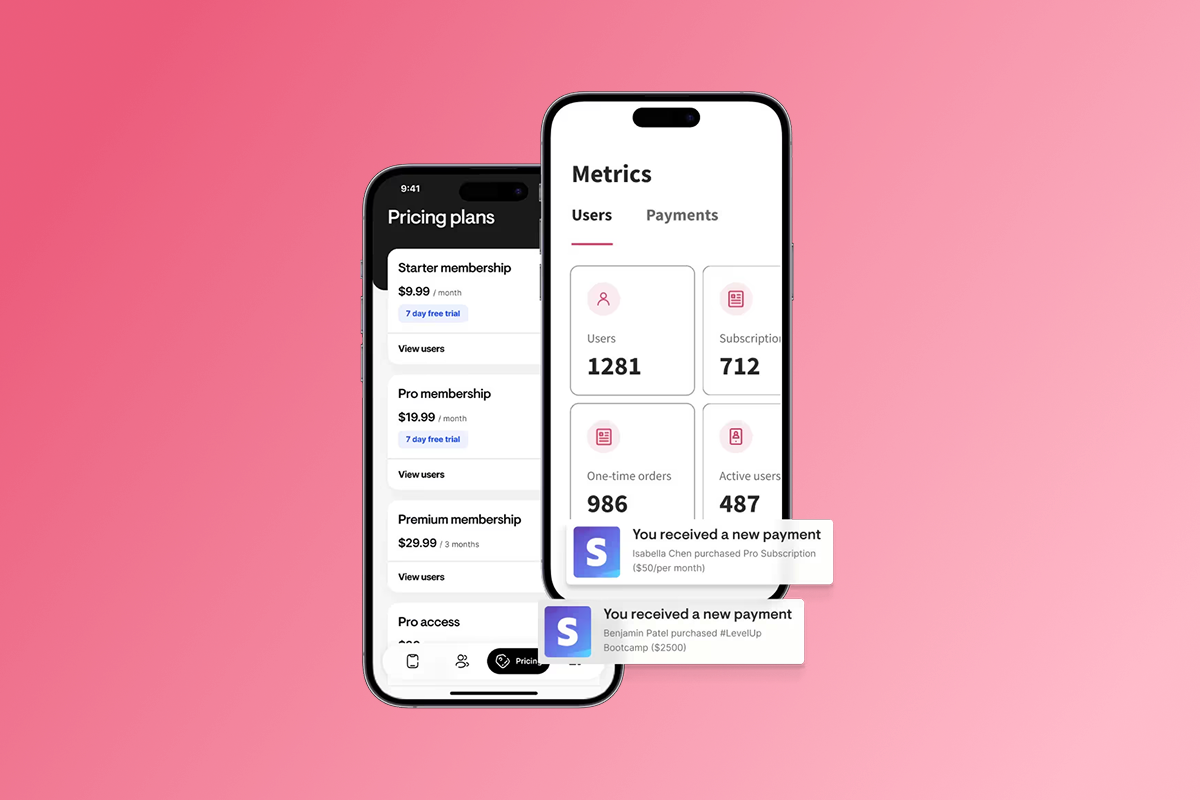
Feature mapping translates your current setup into your new app structure. A Facebook Group becomes an in-app community with channels organized by topic, cohort, or program tier. Your weekly Zoom calls become scheduled events with calendar integration and push reminders. Your Kajabi courses transform into interactive lesson sequences with progress tracking. Your Stripe payment links consolidate into subscription tiers with both web checkout and in-app purchase options.
Create a feature mapping document showing before and after for each component. "Monday Mindset posts in Facebook Group" becomes "Mindset Monday channel in Community tab." This document serves as your migration blueprint and helps you communicate the transition to members. Check your video file formats because we support standard formats but extremely large files may need compression. Gather high-resolution logo files, brand colors in hex codes, and payment processing details.
Phase 2: Choose Your Build Path (DIY vs. White-Glove)
The DIY path through our Launch, Scale, or Expand plans works when you have time and enjoy hands-on platform work. You'll use our drag-and-drop builder to create courses and lessons, set up community channels, configure branding, and handle app store submissions. Timeline runs 4-8 weeks depending on content volume. Our pricing starts at $99/month when billed annually for the Launch plan.
"Setting up my coaching app on Passion.io has been one of the easiest and most intuitive processes I’ve experienced. The platform walks you through every step with clarity, making what could be a complicated process feel smooth and manageable, even for someone building an app for the first time." - Everchanging Butterfly on Trustpilot
The Plus white-glove path fits established creators who value speed and want expert execution. Our team handles content upload, app design, community setup, and app store submission support. You provide content and brand guidelines, we build the app. Timeline runs 4-8 weeks for complete launch including app store approvals. Investment ranges $10k-$20k one-time for Plus service, plus your ongoing plan subscription.
"Passion.io have been so supportive in helping me develop my App, the training, customer support (especially Hope) have been second to none. They guide you through the process every step of the way." - Karen on Trustpilot
Custom development represents the third option for comparison. Agency quotes for a custom-built coaching app typically range from $80,000 to $250,000 depending on features. North American development teams charge $70-$180+ per hour. Beyond initial development, maintaining an app typically costs 15-20% of its original development cost annually. For a $150,000 custom build, expect $22,500-$30,000 annually in maintenance.
Choose based on your time availability, technical comfort, and revenue level. If you're generating mid-five-figure monthly revenue and time is your constraint, Plus makes sense. If you're earlier stage and enjoy building, DIY works.
Phase 3: Transfer Course Assets and Structure
We organize courses around Products, which contain Lessons grouped into Sequences. Think of Products as your individual programs (30-Day Challenge, Foundations Course). Sequences function like modules or weeks. Lessons are the individual teaching units. Our course features support video, audio, text, PDFs, quizzes, and embedded content.
Map your existing course structure to this hierarchy. If you currently have a "12-Week Transformation Program" on Kajabi organized into weekly modules, that becomes one Product containing 12 Sequences (one per week), with individual workout videos and nutrition lessons as Lessons within each Sequence.
Upload begins with video content because it takes longest to process. Add lessons through our builder interface by uploading videos directly or linking to YouTube, Vimeo, or Wistia. For large libraries, batch your uploads to process overnight. Add lesson titles, descriptions, and any supplementary downloads to each lesson as you go.
Drip scheduling controls when lessons become available to members. If you currently unlock Week 2 seven days after purchase, configure that same logic in your Product settings. We support multiple drip options including time-based (unlock after X days), sequential (unlock after completing previous lesson), or manual (you control release dates for cohorts).
Offline access provides a major advantage over web-based courses. Members can download lessons for offline viewing, which matters for fitness coaches whose clients work out in gyms with poor WiFi or wellness practitioners whose members meditate during commutes. Enable offline downloads in your Product settings for content you want available without internet connection.
Test your course structure by creating a few test accounts at different membership tiers. Walk through the experience as a new member would see it. Verify that lessons unlock in the right sequence, downloads work, and progression makes intuitive sense on mobile.
Phase 4: Migrate Community and Member Data
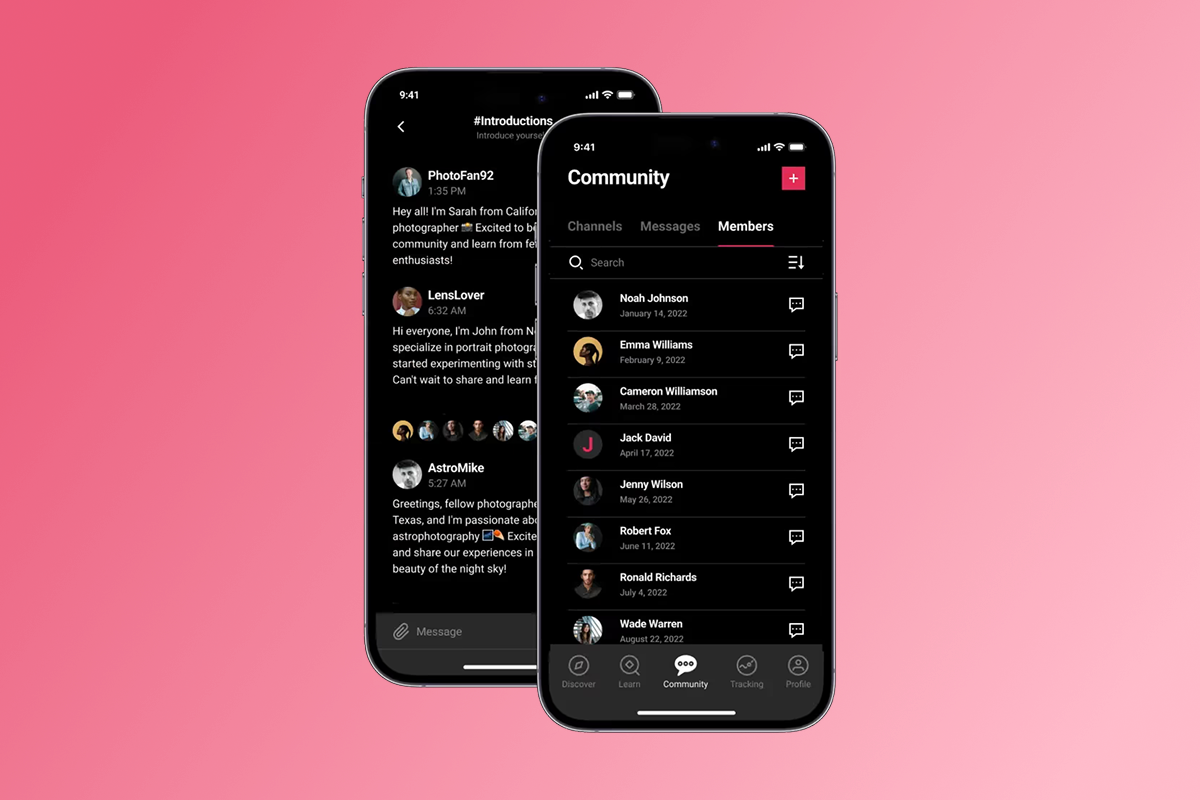
Community architecture in your branded app replaces the single-feed chaos of Facebook Groups with organized channels. We let you create topic-based channels (Nutrition, Training, Mindset), program-based channels (January Cohort, VIP Members), or hybrid structures. Each channel has its own feed, and members can follow the ones relevant to them.
The "fresh start" strategy works better than trying to migrate old Facebook posts. Announce that the new app launches with clean channels and position this as an upgrade. Old Facebook Group posts stay archived there for reference if needed, but the new app represents your premium community experience going forward. This framing eliminates the technical nightmare of trying to export years of Facebook comments while giving you a psychological fresh start.
Member import happens through Zapier integration or CSV upload. Export your member list from your course platform with email addresses, names, and subscription tiers. Format the CSV according to our template with columns for email, first name, last name, and assigned Products. Upload the file through your admin dashboard, and we create accounts and send welcome emails with app download instructions.
Configure access rights so members see the right content based on subscription tier. Create Products for each tier (Free, Basic, Premium, VIP), then assign community channels and course content appropriately. Our product structure handles tier management through Product assignments.
Push notification strategy builds the new community habit. Configure automatic push notifications for new community posts in channels members follow. Set up weekly digest pushes summarizing community activity. Create event reminders for live calls. Push notification open rates average 20% compared to email's lower rates, making them your most powerful re-engagement tool after migration.
Phase 5: Execute the "Warm Switch" Launch Timeline
Week 1-2 focuses on building anticipation in your existing Facebook Group. Post design previews showing your branded app interface. Share screenshot mockups of courses and community. Create countdown graphics. The key message: this upgrade gives members better mobile access, faster support, and a distraction-free experience. Poll members about their biggest frustrations with Facebook to generate social proof about problems you're solving.
Week 3 launches your "30-Day Challenge" exclusively in the new app. This is your migration forcing function. The challenge provides enough value that members download the app to participate. It could be a fitness challenge with daily workouts, a content creation sprint, or a meditation streak. The challenge creates urgency and justification for the switch.
Announce the challenge with a dedicated post: "The [Challenge Name] is only available in our new app. Download it here [link], create your account, and join the #challenge channel. I'll be posting your daily workout in the app every morning at 7 AM." Pin this post in your Facebook Group and send it via email to your full list.
The first 48 hours after challenge announcement determine migration success. Monitor download rates and community posts closely. Send push notifications welcoming new members and guiding them to the challenge channel. Go live in the app explaining how to navigate. Personally respond to every community post for the first few days to model behavior and show you're active there.
Week 4 transitions your Facebook Group to a feeder channel. Announce: "The Facebook Group remains open for general questions and will serve as our free community space. All premium content, member-only discussions, and live coaching happen in the app." Edit your Facebook Group description to include app download instructions and position it clearly as your free tier.
Post-migration communication establishes new norms. Send a push notification series over the first 30 days: Day 1 (Welcome), Day 3 (Where to find lessons), Day 7 (How to post in community), Day 14 (Upcoming events), Day 21 (New content announcement), Day 30 (Feedback request). This drip sequence builds app habits and ensures members know how to use every feature.
The Economics: Custom Dev vs. White-Label Platforms
Custom development carries the highest upfront cost and longest timeline. Mobile app development typically ranges from $80,000 to $250,000 depending on complexity and features. A coaching app with video hosting, community features, payment processing, push notifications, and admin dashboard would likely land in the $120k-$200k range.
Timeline for custom development spans 4-12 months from planning through launch. You'll spend weeks on requirements documentation, design mockups, developer interviews, and contracts before coding starts. During this period, you're paying developers while the new platform generates no revenue.
Maintenance costs run 15-20% annually. For a $150k custom app, budget $22,500-$30,000 per year for hosting, security updates, OS compatibility fixes, and bug patches. This doesn't include major feature builds, which are billed separately.
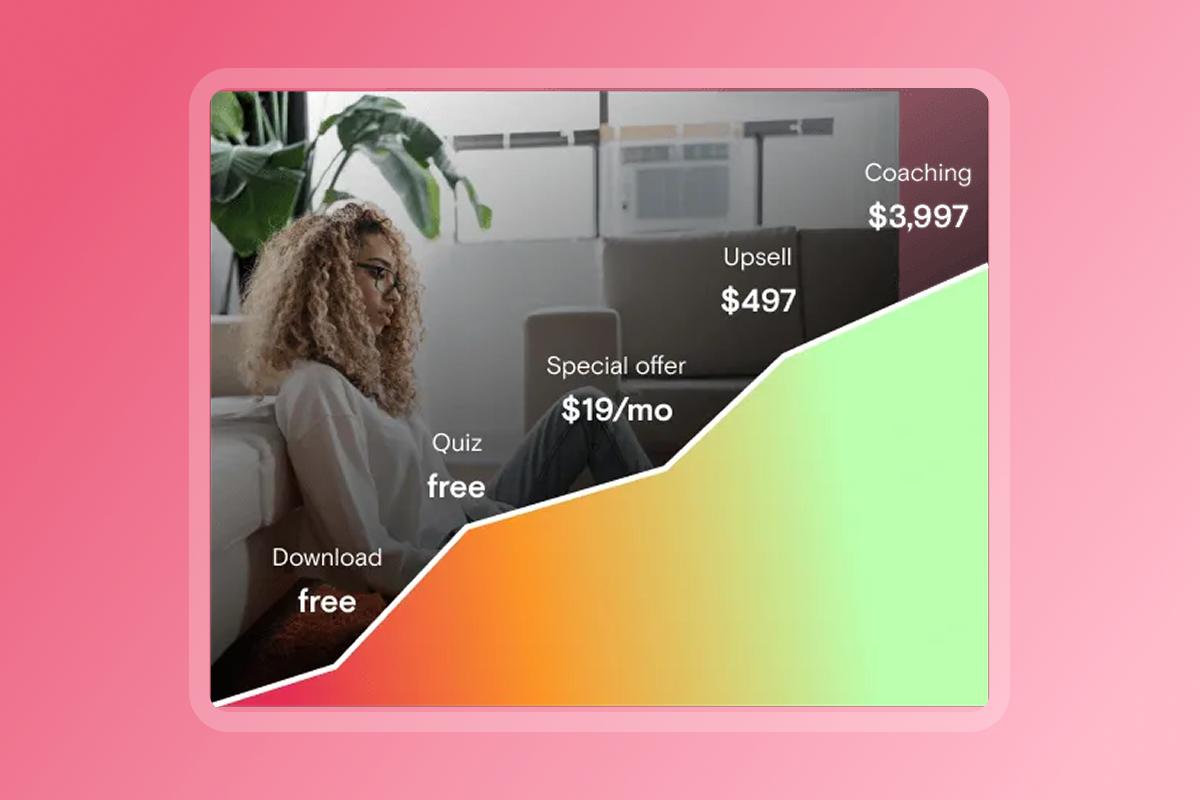
We flip the economics by distributing development and maintenance costs across thousands of creators. You pay a predictable monthly or annual subscription rather than shouldering six figures upfront. Our pricing runs $99-$599/month when billed annually, translating to $1,188-$7,188 per year plus the Plus service fee if you choose white-glove setup.
Payment processing fees require transparent comparison. PassionPayments for web checkout charges 3.9% plus standard Stripe fees, preserving your margins on web subscriptions and one-time purchases. In-app purchases through Apple and Google carry 15-30% fees depending on your annual revenue and whether you qualify for small business programs.
The strategic approach uses both payment methods based on purchase type. Offer your core subscription tiers through web checkout to preserve margins, especially for annual plans where the dollar amount is significant. Enable in-app purchases for convenience upsells and members who prefer the Apple/Google payment experience.
Developer account fees add small annual costs. Apple charges $99 per year for the Apple Developer Program required to publish iOS apps. Google Play charges a one-time $25 registration for Android apps. Budget $125 in year one and $100 annually thereafter.
White-label platforms cost 80-90% less in year one and 90-95% less in subsequent years while delivering faster time-to-market and eliminating technical maintenance burden.
Security, Compliance, and Data Ownership
Data ownership represents your most valuable business asset after your course content. When you build on our white-label platform, you own your member list, engagement data, and revenue records. You can export member information anytime and take that data with you if you ever switch platforms. This contrasts sharply with Facebook Groups, where the platform owns the follower relationships and you have limited export capabilities.
We handle infrastructure-level protection including hosting, SSL/TLS encryption, server maintenance, and software updates. We manage these technical security layers so you don't need to hire DevOps staff or worry about server patches.
Your security responsibilities focus on access control and account management. Enable two-factor authentication on your admin account. Use strong, unique passwords. Control which team members have admin access versus content creator or community moderator roles. Review your app submission materials to ensure privacy policies and terms of service reflect your actual data practices.
Member data protection requires clear communication about what you collect and how you use it. Your privacy policy should explain that you collect names, emails, payment information, course progress, and community posts. Clarify that you use this data to deliver your program and that you don't sell member data to third parties.
Backup and export capabilities give you insurance against platform changes. Regularly export your member list and keep an updated copy in your own systems. Download copies of your course videos and materials so you always have the source files. This practice protects you whether platforms change terms or you decide to switch providers.
Frequently Asked Questions About App Migration
Can I keep my Facebook Group after launching the app?
Yes, reposition it as your free community tier or top-of-funnel lead magnet. Many creators maintain their Facebook Group for visibility while delivering all premium content through the app. Post teasers in Facebook, but make it clear that the real value happens in the app.
How long does Apple app review take and what if they reject it?
Apple typically reviews apps within 24-36 hours depending on submission volume. If Apple rejects your app, they provide specific feedback on functionality, metadata, in-app purchase setup, or privacy compliance. Address the issues and resubmit within 1-2 weeks. Our Plus service handles the entire submission process and works with Apple reviewers if needed.
What happens to my content if I leave the platform?
You own your intellectual property and member relationships. You can export your user data and download your course videos, PDFs, and other materials. Your content remains yours. Always maintain backup copies of your source files independent of any platform.
How do I move members without losing them during the transition?
The "warm switch" strategy using a high-value challenge or exclusive launch prevents member loss. Communicate consistently, make onboarding effortless, and show up actively in the app for the first 30 days. Most churn during migration comes from poor communication rather than platform resistance.
Do I need technical skills to manage the app after launch?
No programming or technical background required. Adding lessons, creating community posts, sending push notifications, and managing members happens through a visual interface similar to posting in Facebook or creating Google Docs. We handle all backend technical maintenance including hosting, security updates, and app store compliance.
Own Your Platform, Own Your Future
You've outgrown rented land. Facebook's 1.37% organic reach proves you need direct, mobile-first access to your paying members. Tool sprawl across Kajabi, Zoom, Stripe, and Facebook creates operational chaos while exposing you to platform risk. The solution isn't adding another tool, it's consolidating everything into a branded mobile and web app you control.
The migration process follows five clear phases over 4-8 weeks: audit your assets and member data, choose between DIY or white-glove build paths, transfer your course structure and content, migrate your community and member lists, and execute a warm switch using a 30-day challenge. This structured approach lets you move your business without losing momentum or members.
Economics favor white-label platforms for established creators. You'll invest $1,188-$7,188 annually plus optional Plus services around $10k-$20k compared to $100k+ for custom development. You'll preserve 85-97% margin on web checkout transactions while offering convenient in-app purchases when appropriate. Most importantly, you'll own your audience data and control member relationships without algorithm interference.
Ready to launch your branded app without technical complexity? Book a consultation to discuss our Plus white-glove service where we handle content migration, app design, and store submission while you focus on your business. And there's a 30-day money-back guarantee.
Key Terms Glossary
White-label app: A generic software framework customized with your brand (logo, colors, name) so it appears you built it from scratch. Your members see your brand, not the platform provider's brand.
Push notifications: Messages sent directly to a user's phone lock screen or notification center. Higher visibility and engagement than email because they appear immediately when sent and bypass inbox filters.
In-app purchase (IAP): Buying content through the Apple App Store or Google Play payment system. Convenient for users but carries 15-30% platform fees depending on your annual revenue tier.
PassionPayments: Web-based checkout system that processes subscriptions and one-time purchases with 3.9% platform fee plus standard payment processing. Lower fees than IAP but requires users to purchase through browser.
Warm switch: Migration strategy that moves members to a new platform using high-value incentives (challenges, launches, exclusive content) rather than simply turning off the old platform.
Tool sprawl: Using multiple disconnected software tools that require separate logins, manual data syncing, and integration management.
Drip schedule: Automated content release that unlocks lessons based on time since enrollment, completion of previous lessons, or manual release dates.